Access Category, Tag Or Taxonomy ACF Data Through ACF Item Module
Introduction
Follow these steps to learn how to display category, tag or taxonomy ACF data through the ACF Item module.
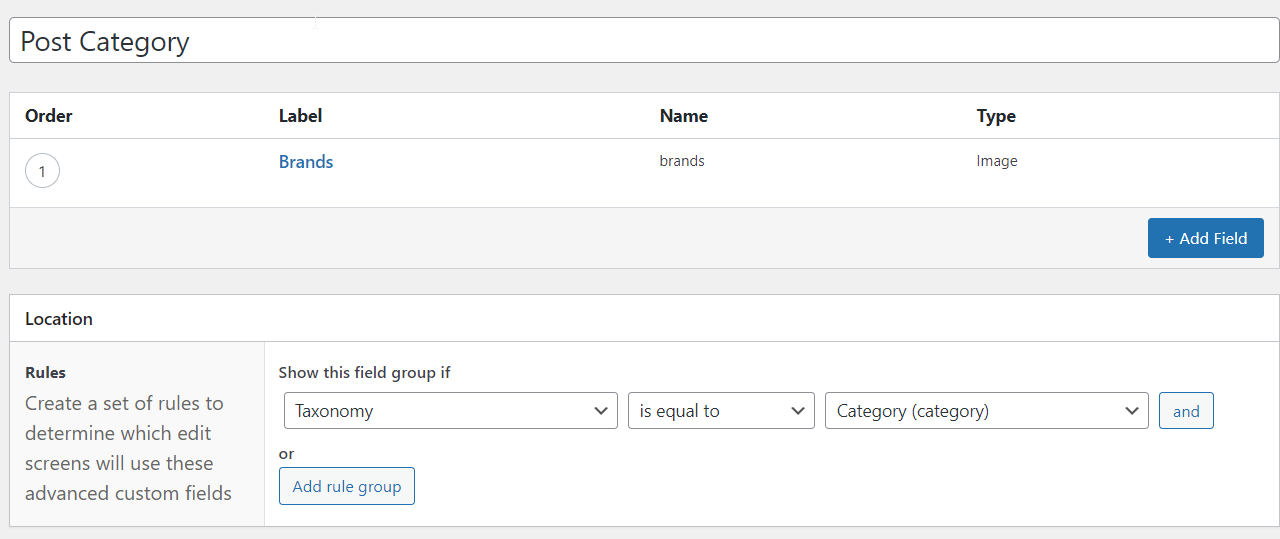
Step 1: Create A Category, Tag Or Taxonomy ACF Field Group
- Create a new ACF Field Group for your category, tag or taxonomy (only one).
- Add a field such as an image field - this will be the category, tag or taxonomy image.
- Set the Field Group to be "Taxonomy is equal to" and then select the category, tag or taxonomy you desire.
- Save the Field Group.
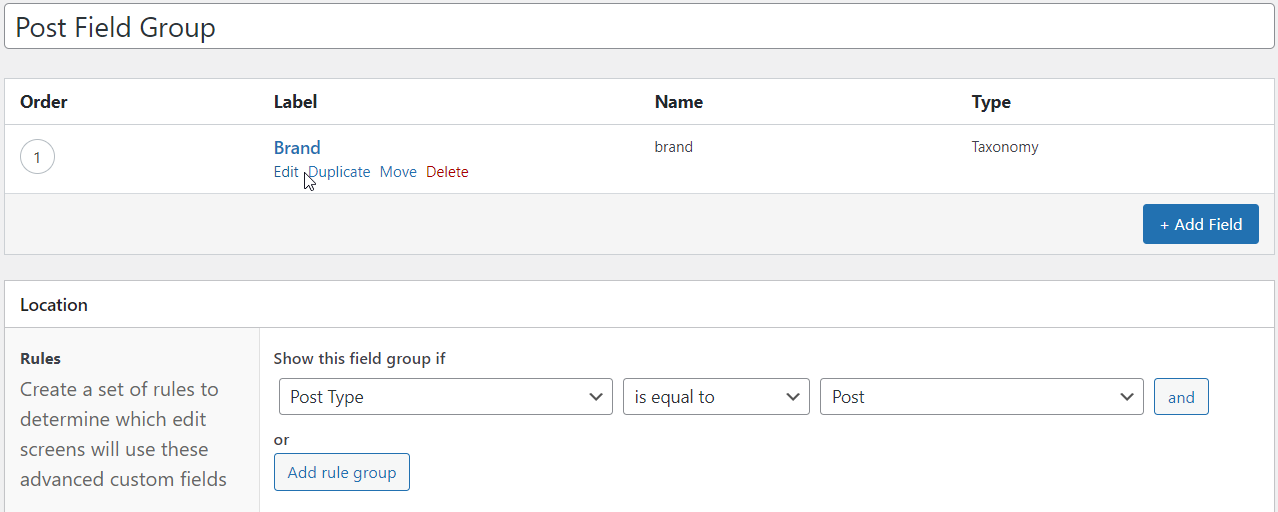
Step 2: Add A Taxonomy Field To Post Field Group
Add a Taxonomy Field to the Field Group of your post containing the category, tag or taxonomy created above.
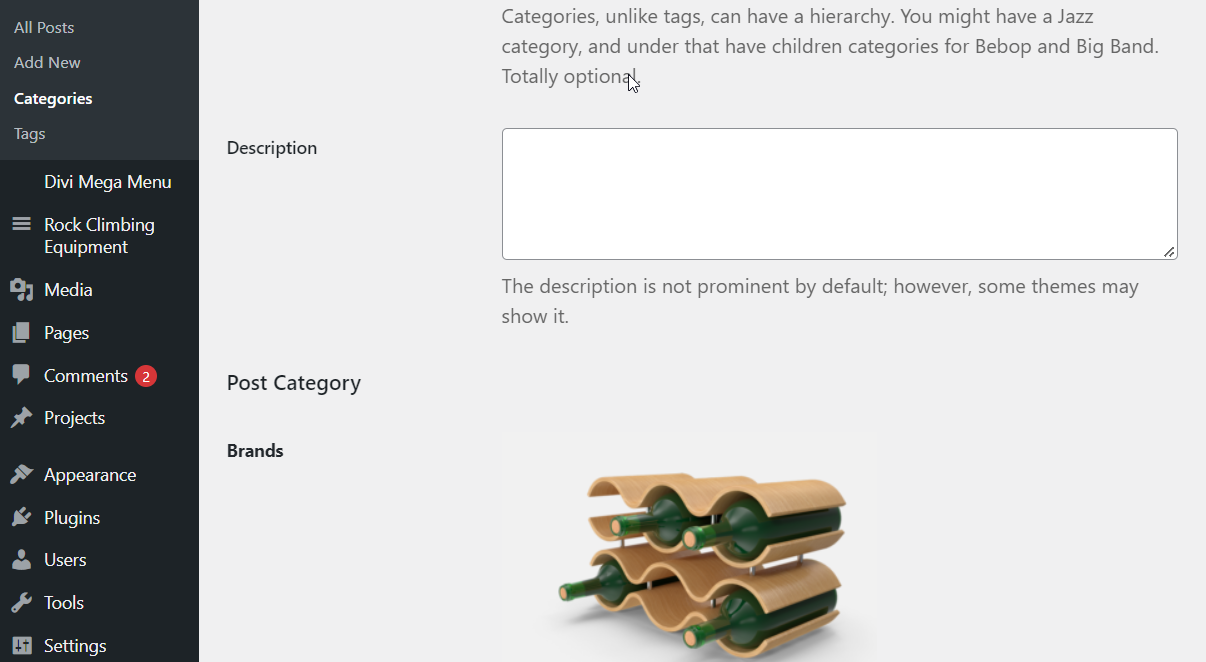
Step 3: Add Field Content To Your Category, Tag Or Taxonomy
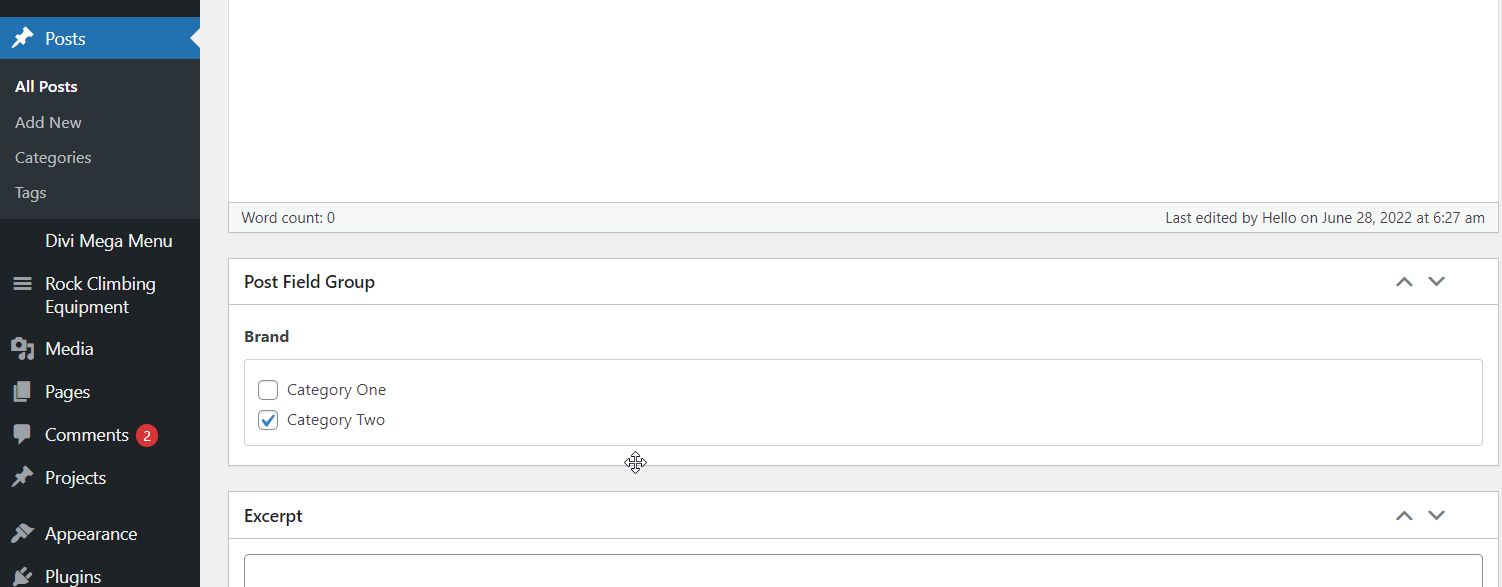
Step 4: Select The Correct Category, Tag or Taxonomy In Your Posts
Using the Taxonomy Field created in step two, select the correct category, tag or taxonomy for each post.
Step 5: Add ACF Item Module To All Post Theme Builder Layout
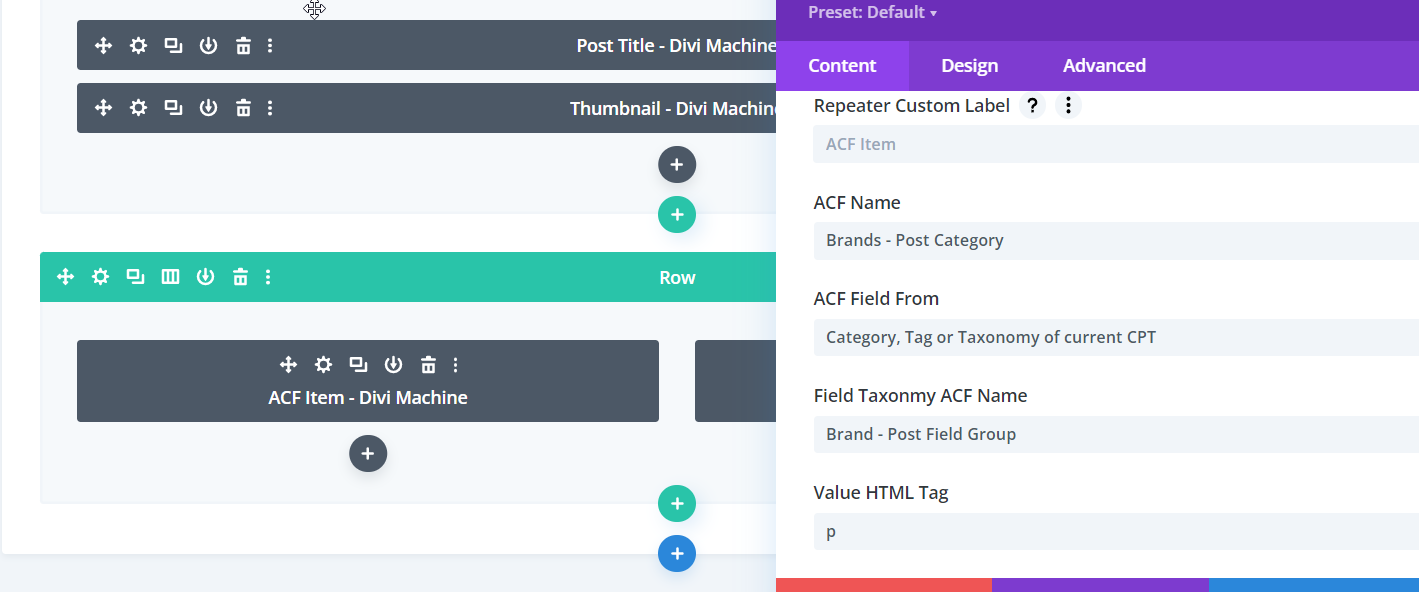
Add the ACF Item module to the "All" post Theme Builder layout and define the following settings.
Content > Main Options
- ACF Name: Select the category, tag or taxonomy Field Group created in step one.
- ACF Field From: Category, Tag or Taxonomy of current CPT.
- Field Taxonomy ACF Name: Select the Taxonomy Field created in step two.