Installation
Divi 5 first
Install the same plugin on Divi 5 or Divi 4. Later steps in these docs place the module in the Divi 5 Visual Builder. Classic Builder steps stay under Modules → Divi 4.
Prerequisites
- WordPress — Current stable version
- Divi — Latest Divi 5 or Divi 4
- Divi Protect — Purchased from Divi Engine
Download Divi Protect
- Log in to your Divi Engine account.
- Go to Downloads.
- Download Divi Protect.
Install and activate
- Log in to your WordPress site.
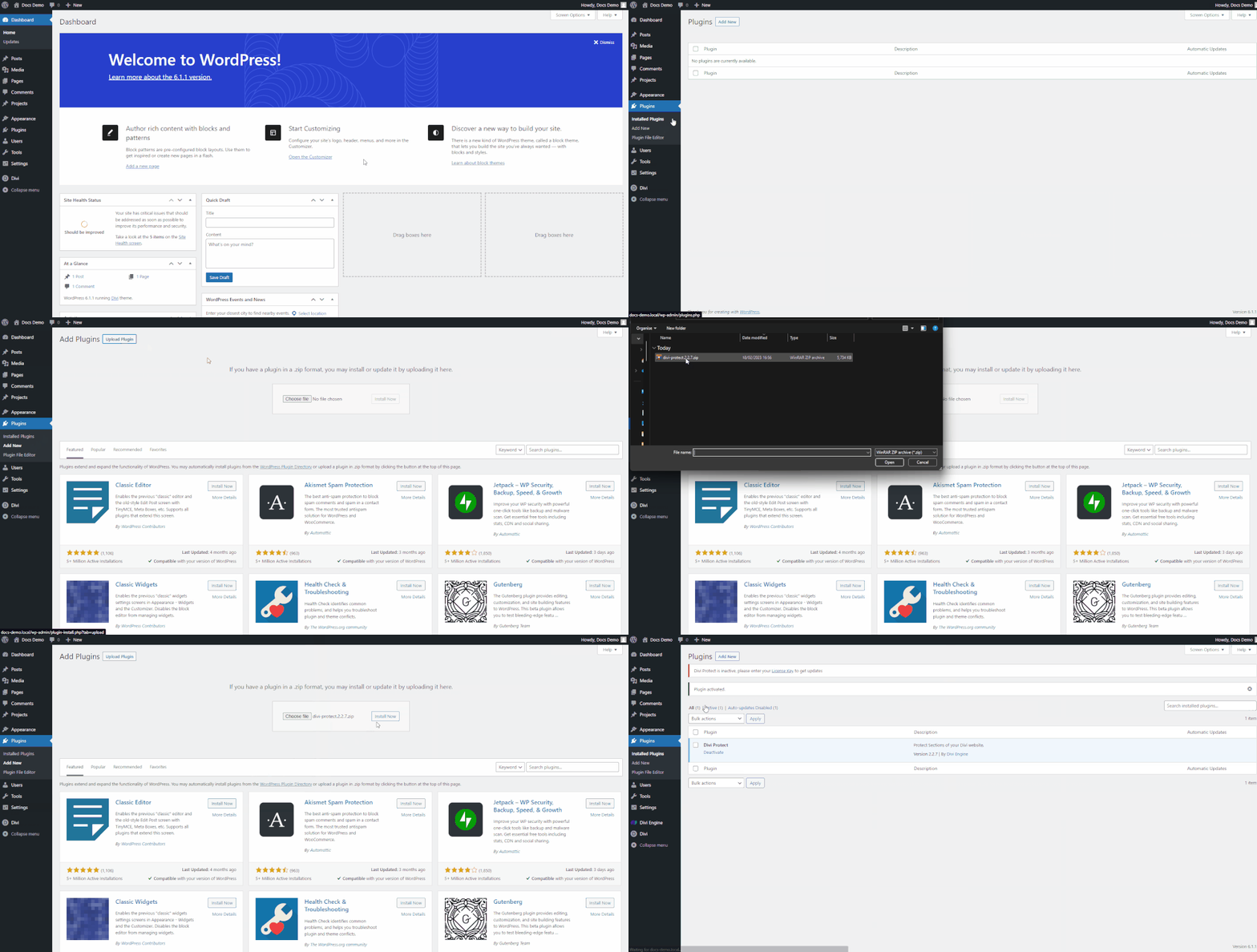
- Go to Plugins → Add New.
- Click Upload Plugin, choose the Divi Protect file, then click Install Now.
- After the plugin is installed, click Activate.
Add your license
- In your Divi Engine account, open Orders.
- Click Manage License.
- Generate a license key for Divi Protect and copy it.
- In WordPress, open Divi Engine → License.
- Paste the key and activate it.
Verify this stage
You are ready to continue when:
- Divi Protect is active under Plugins.
- Divi Engine → Protect Sections is available, and Divi Engine → Divi Protect shows the getting started steps.
- On a Divi 5 page, the module picker includes Divi Protect.
What's next
- Quick start — Create a Protect Section and place it on a page.
- Protect Section settings — Password, cookie, form text, and styles.