How To Build A Horizontal Word Only Filter - Demo
Introduction
Follow these steps to build the horizontal word only filter from our recipe demo website. Click HERE to see the demo page.
Preview
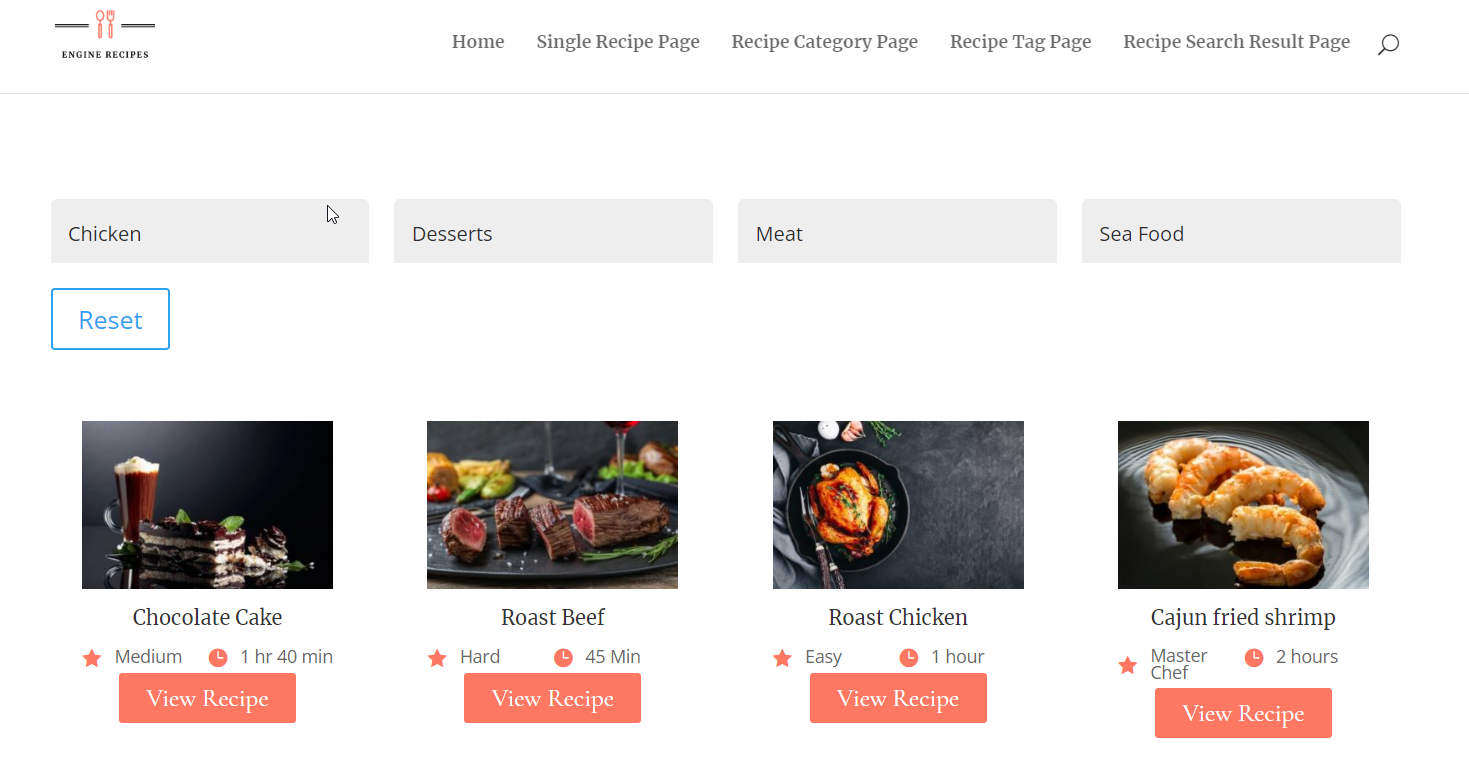
Description How to build a horizontal word only filter. Difficulty Medium. Time 25 Minutes.
Step 1: Set It Up - Create Custom Loop Layout
Start off by creating a Custom Loop Layout by adding the right modules to a Divi Library layout.
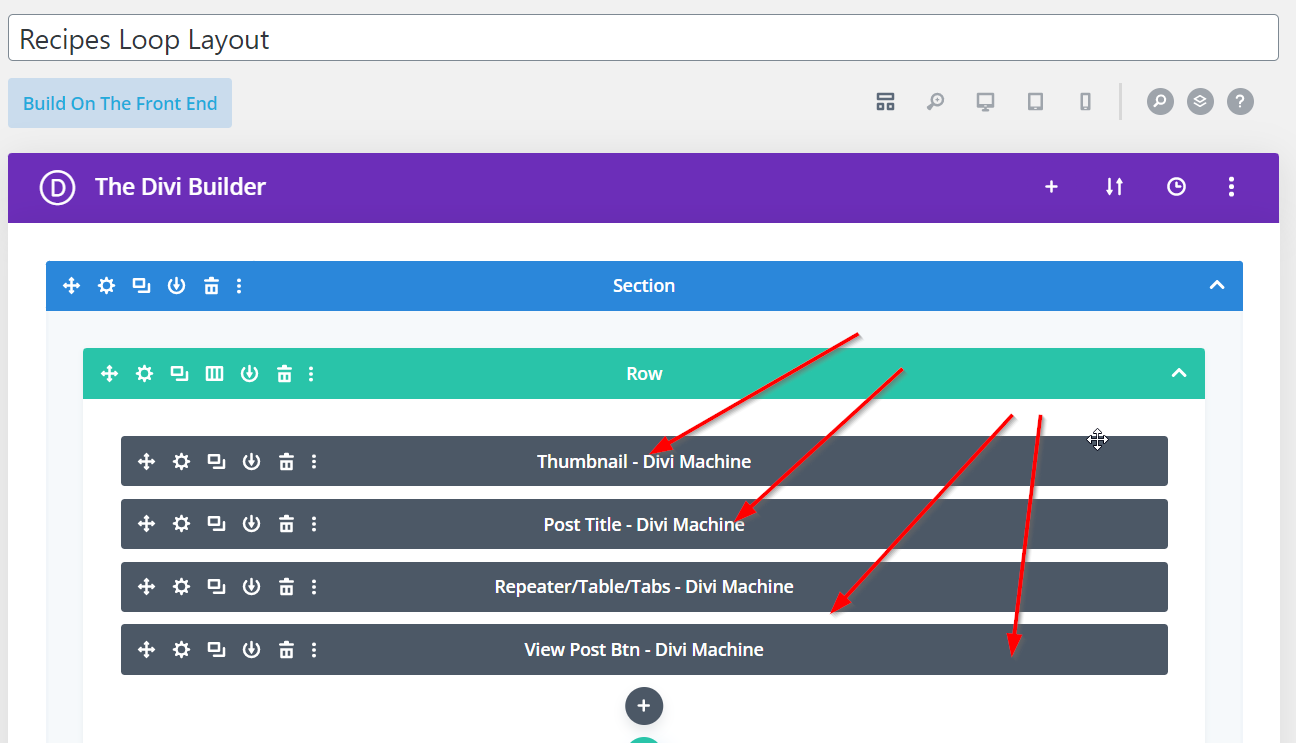
1.) Create a Custom Loop Layout in the Divi Library.
Step 2: Set It Up - Add Filter Post & Archive Loop Modules
Head over to the page of your choice and add the Filter Post and Archive Loop modules.
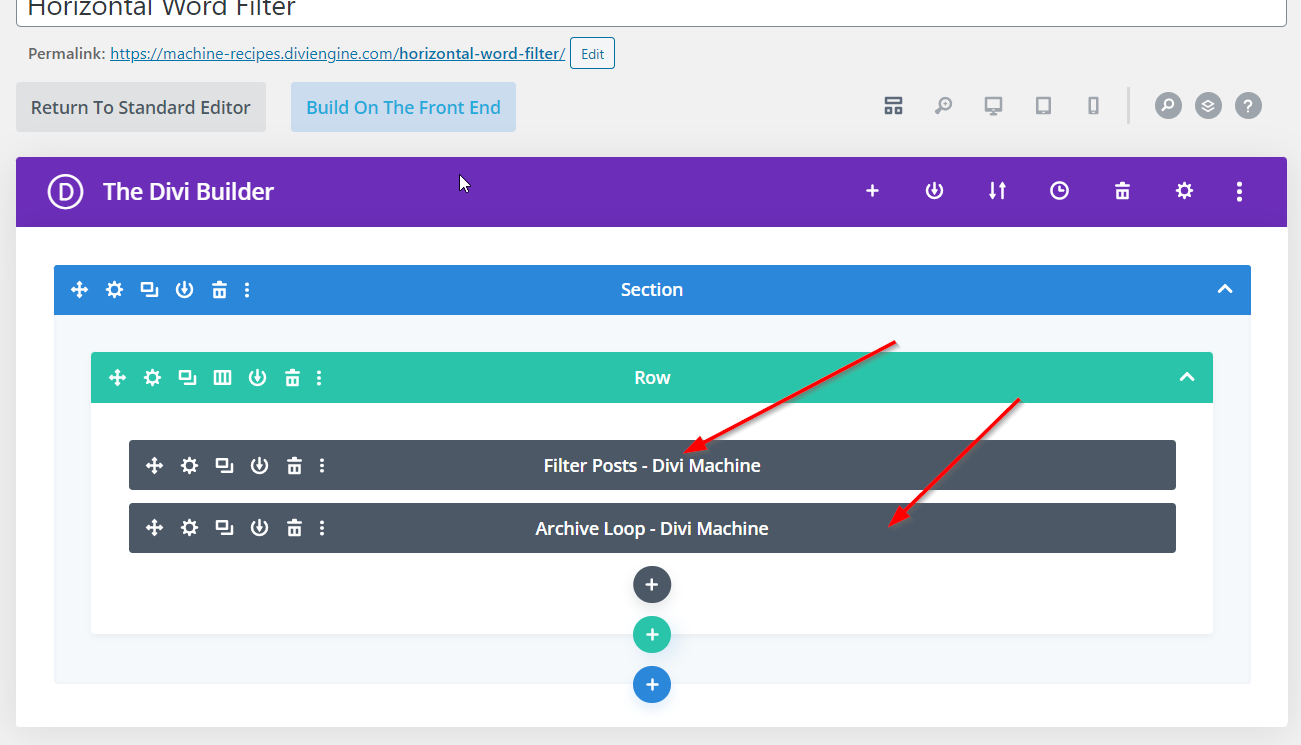
1.) Add the Filter Post and Archive Loop modules.
Step 3: Customize Settings - Archive Loop Module
Define the Post Type and Custom Loop Layout in the Archive Loop module.
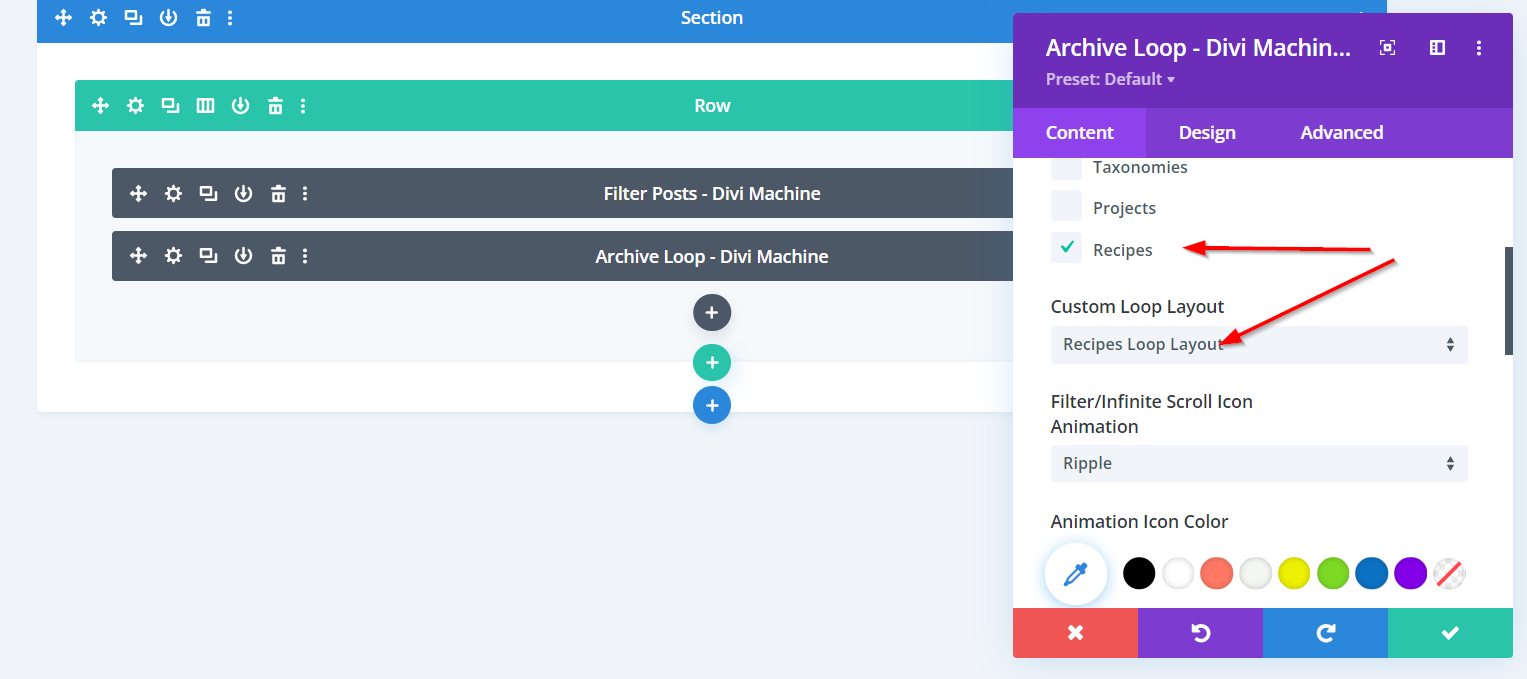
1.) Select the Post Type. 2.) Select your Custom Loop Layout.
Step 4: Customize Settings - Filter Posts Module
Layout Options Content Tab
Select Fullwidth Column in the Layout Options.
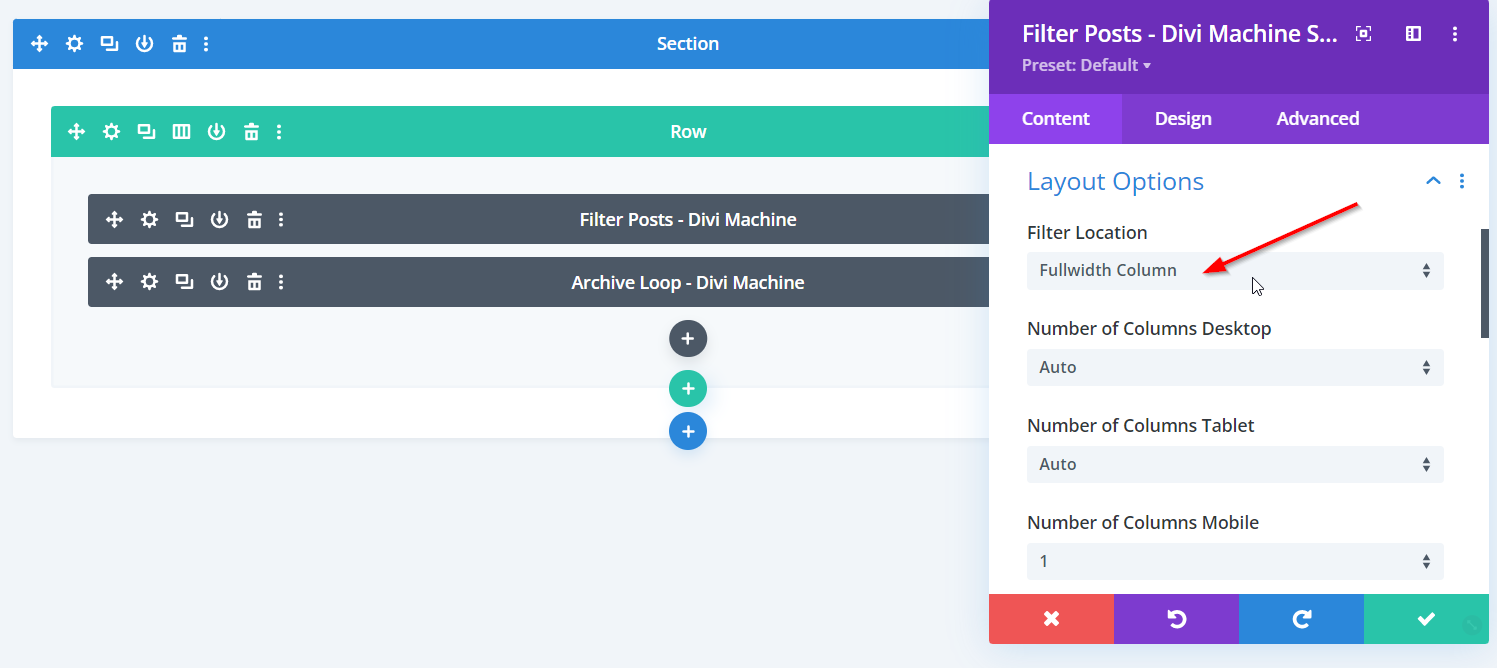
1.) Select the Full-width Column.
Filter Item Main Options
Add a new Filter Item and filter for Post Type Categories.
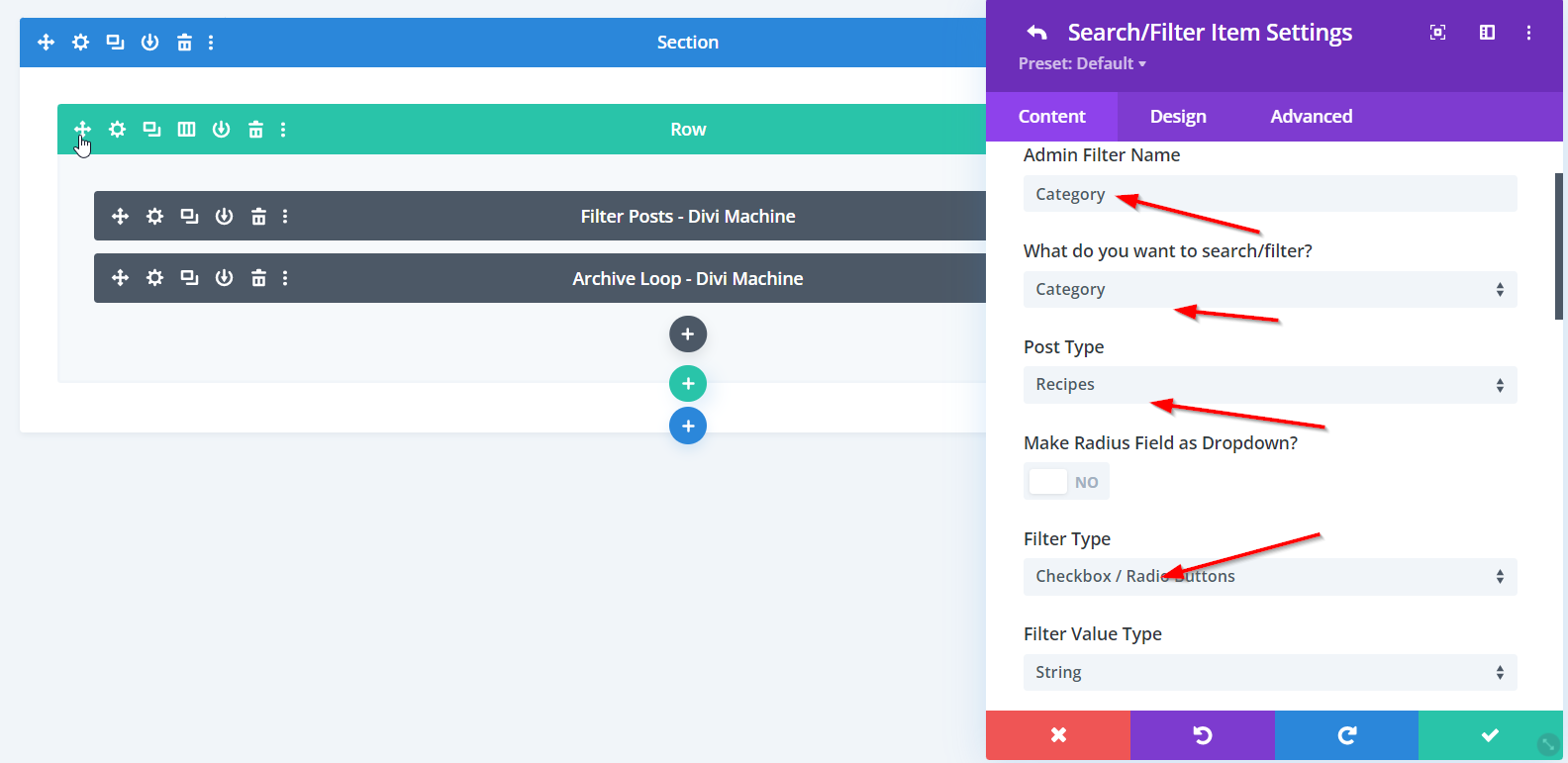
1.) Search / Filters Categories. 2.) Select your Post Type containing the categories. 3.) Select the Filter Type as Checkbox / Radio Buttons.
Filter Item Checkbox / Radio Filter Options
Select the Checkbox / Radio Style as Buttons and inline.
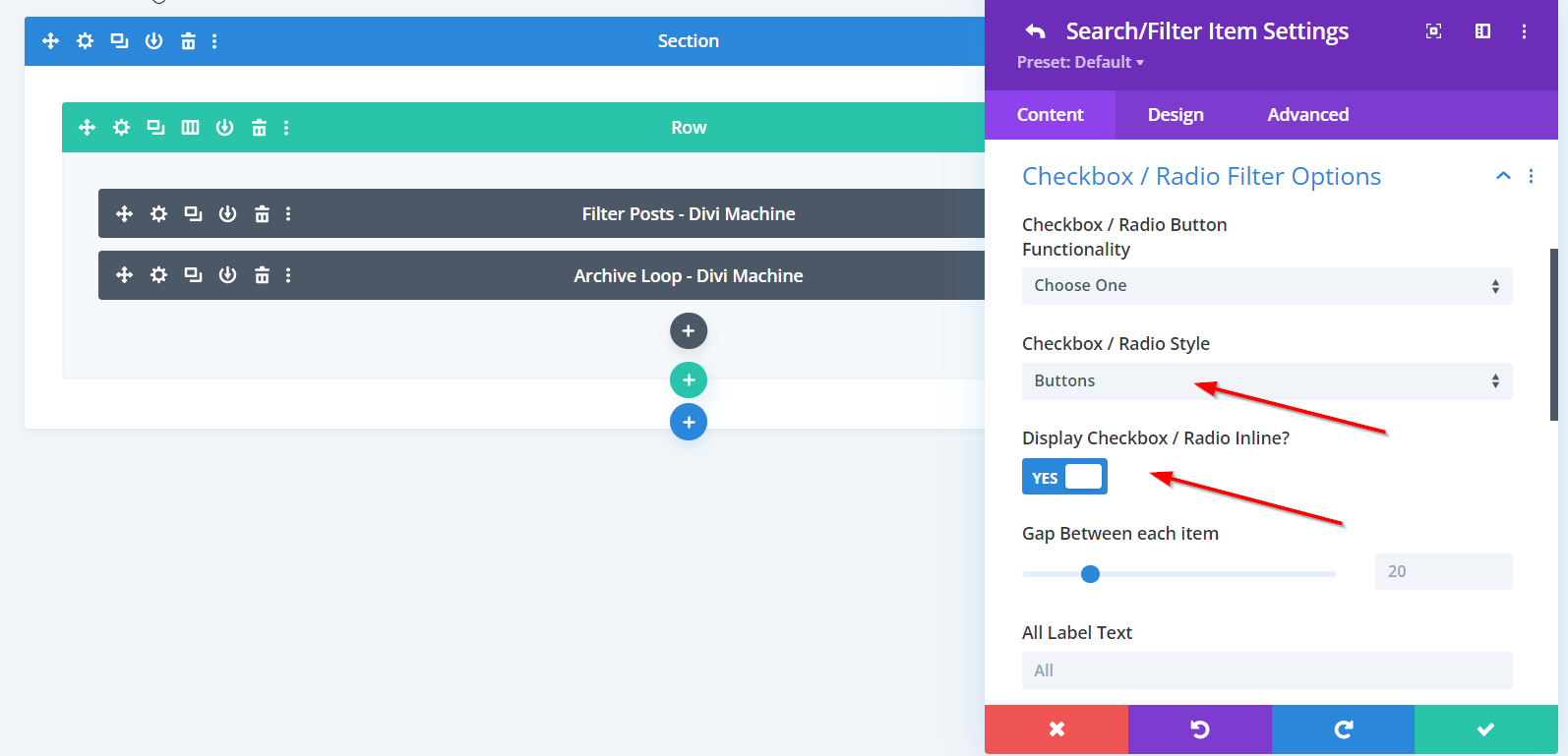
1.) Select the Checkbox / Radio Style as Buttons. 2.) Enable the Checkbox / Radio Buttons as inline.
Step 5: Add Custom Code
No custom code here.