Caching and performance
Configure caching and related performance options at WordPress Admin → Divi Engine → Divi Ajax Filter → Transient Caching.
These settings apply site-wide. They work with Divi 5 and Divi 4 sites that use Divi Ajax Filter.
Transient caching
When a visitor applies a filter, the plugin can store the filtered response temporarily. Repeated identical requests reuse that response instead of rebuilding the query every time.
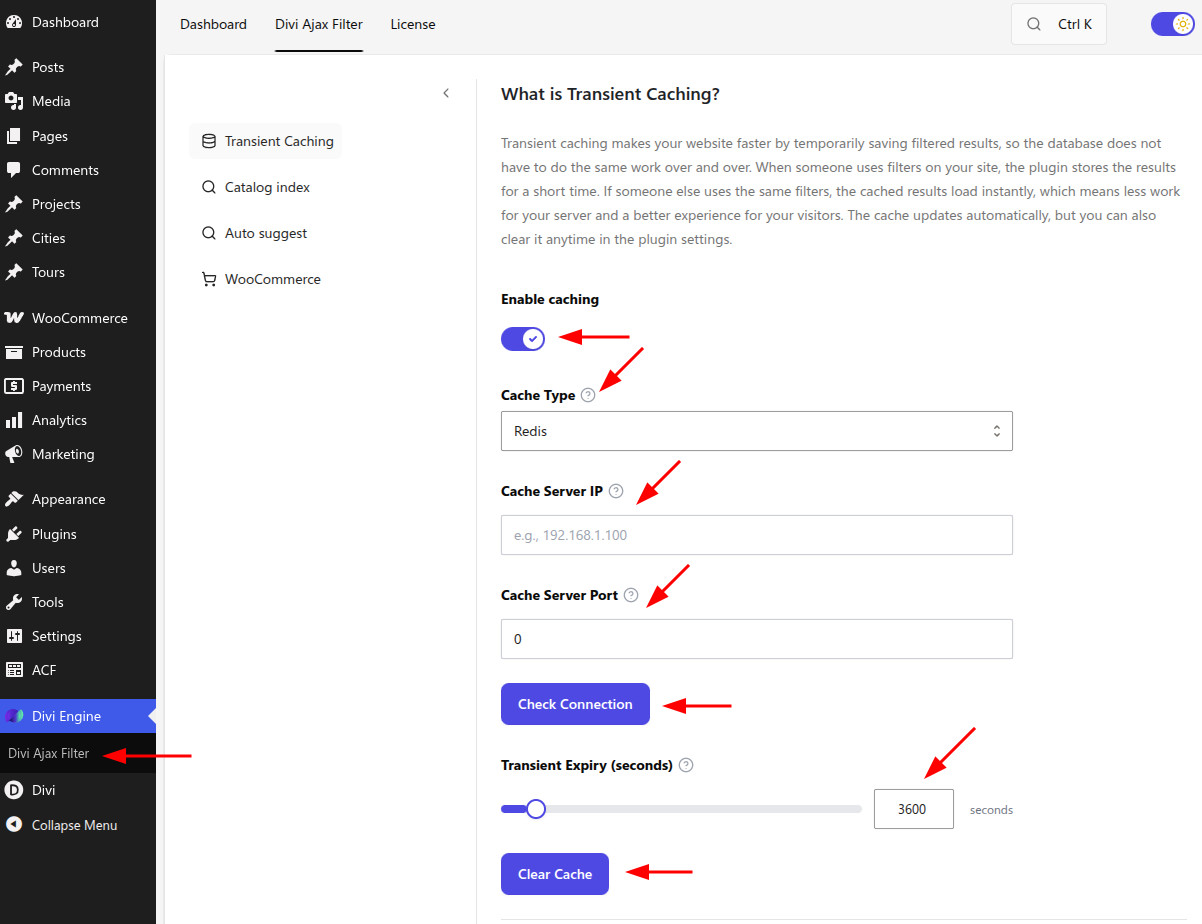
| Setting | Type | Default | What it does |
|---|---|---|---|
| Enable caching | Toggle | Off | Turns on transient caching of filtered results to reduce database load. |
| Cache Type | Select | — | Choose none, Redis, Memcached, or WordPress DB object cache storage. |
| Cache Server IP | Text | — | Host, IP, or Unix socket path for Redis/Memcached. |
| Cache Server Port | Number | — | Port for the cache service (for example 6379 for Redis, 11211 for Memcached). Use 0 for a Unix socket. |
| Check Connection | Button | — | Tests Redis/Memcached connectivity with the current host and port. |
| Transient Expiry (seconds) | Number | — | How long cached filter responses stay valid before they expire. |
| Clear Cache | Button | — | Clears stored filter cache entries immediately. |
After you change catalog content, filter layouts, or price rules, click Clear Cache if visitors still see outdated results. See Stale or wrong results.
Enhanced Load More
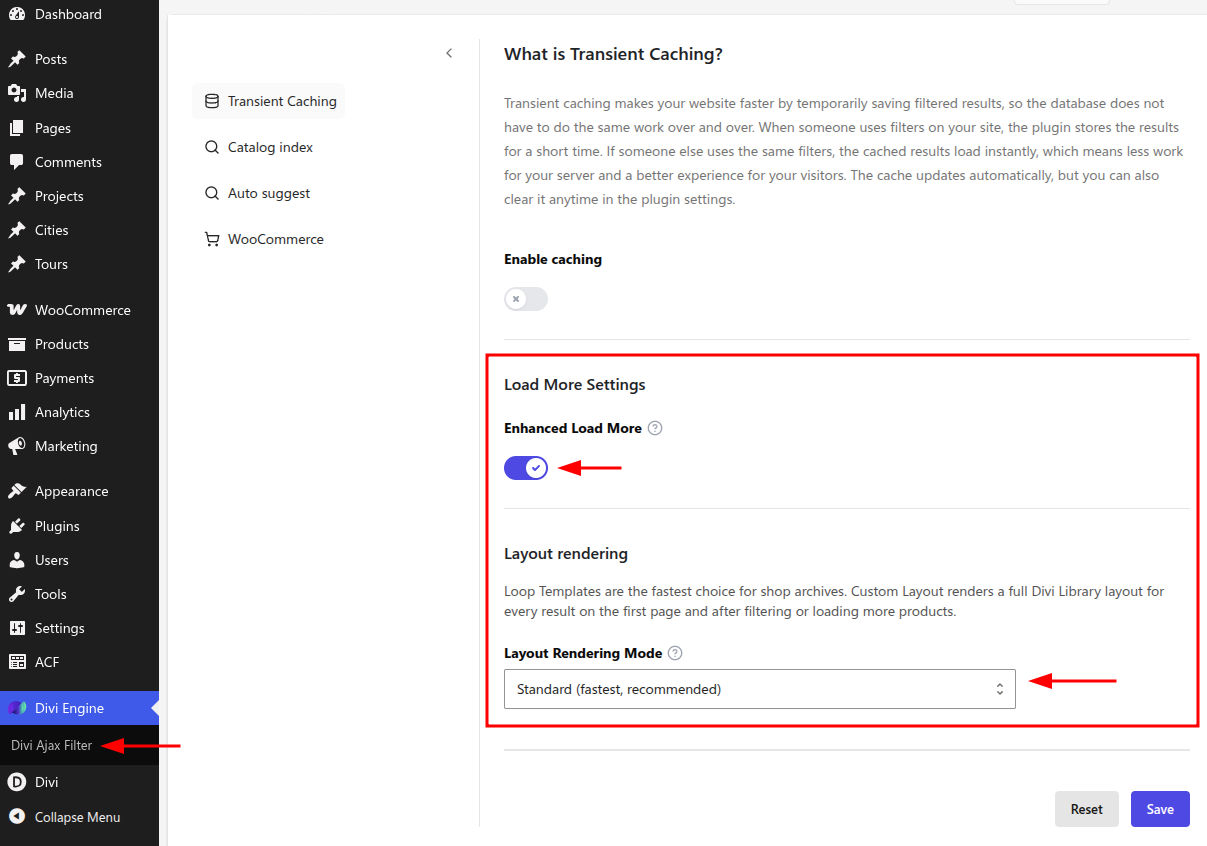
| Setting | Type | Default | What it does |
|---|---|---|---|
| Enhanced Load More | Toggle | On | Uses the improved Load More system with better compatibility and ACF support. Disable only if Load More misbehaves on your site. |
Leave this enabled unless you are troubleshooting Load More issues. If results skip, duplicate, or break after Load More, try disabling it temporarily, then re-test.
Layout Rendering Mode
| Setting | Type | Default | What it does |
|---|---|---|---|
| Layout Rendering Mode | Select | standard | Standard is fastest and recommended. Compatibility uses stricter output handling when AJAX layouts break or render incompletely (slower, more tolerant). |
Use Compatibility when:
- Loop item markup looks wrong after filtering
- Styles or nested layouts fail to appear after AJAX updates
- Standard mode works on some pages but fails on complex Theme Builder layouts
See Loop layout breaks after AJAX.
Related guides
- Enabling Transient Caching — Legacy walkthrough with screenshots
- Catalog index — Faster ID resolution for large catalogs
- Grid, list, masonry, and pagination — Load More vs pagination in the Archive Loop
What's Next
- Catalog and auto suggest — Index engines and phrase suggestions
- WooCommerce settings — Variation price matching
- Stale or wrong results — Clear cache and rebuild indexes