WooCommerce settings
When WooCommerce is active, open WordPress Admin → Divi Engine → Divi Ajax Filter → WooCommerce.
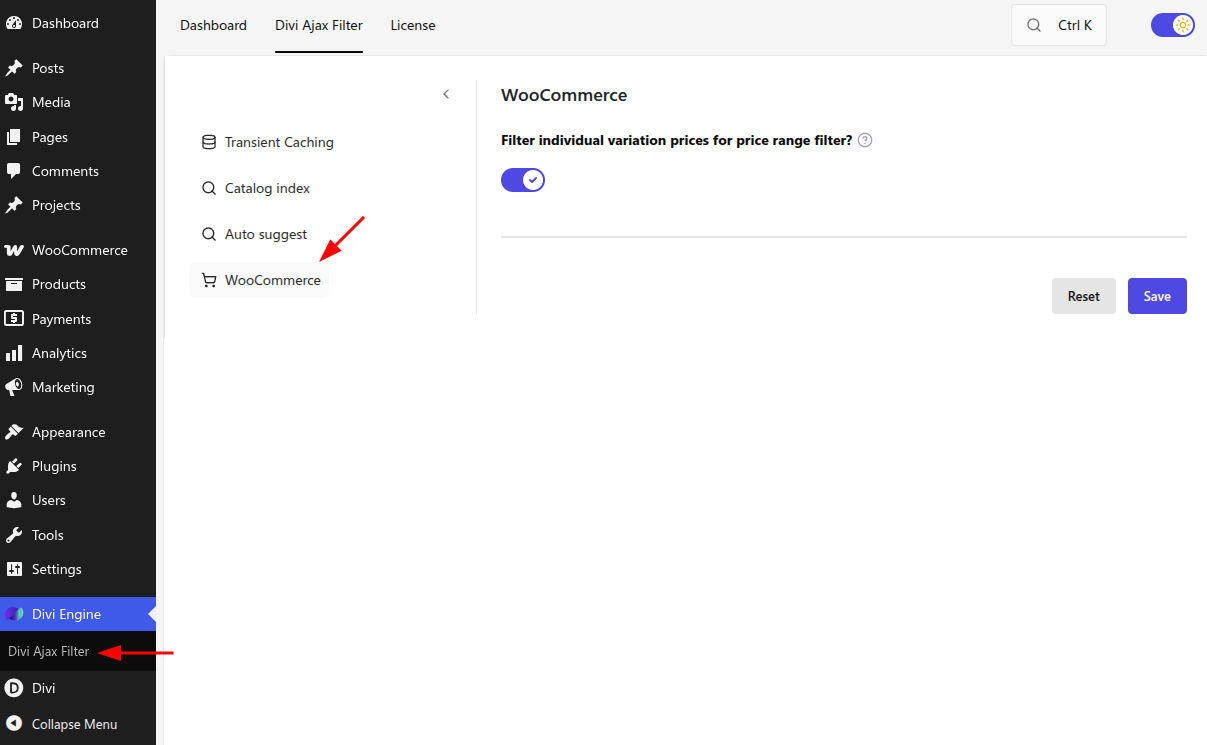
Price range and variations
| Setting | Type | Default | What it does |
|---|---|---|---|
| Filter individual variation prices for price range filter? | Toggle | On | When on, a variable product appears if any variation price falls inside the selected range. When off, the product appears only if all variation prices fall inside the range. |
When to leave it on
Use the default (on) for most shops. Shoppers expect a product to appear when at least one purchasable variation matches their budget.
When to turn it off
Disable the setting when you need a stricter catalog—for example, only show a product when every variation sits inside the filtered price band.
Related setup
- Add a Filter Posts Item with source Product Price.
- Point Filter Posts at your product Archive Loop or Loop Builder target.
- Test variable products that have both cheap and expensive variations.
See Common filter setups for the price filter recipe.
Cache
If price matching still looks wrong after you change this toggle, clear the filter cache under Caching and performance.
What's Next
- Caching and performance — Clear cache after settings changes
- Common filter setups — Product price filter recipe
- Filter item settings — Per-item price and attribute options