Step 9: Create The Shop Page
Introduction
Follow this information to create a Shop page layout.
Build A Divi Layout
Go to Divi > Divi Library and build a shop page layout.
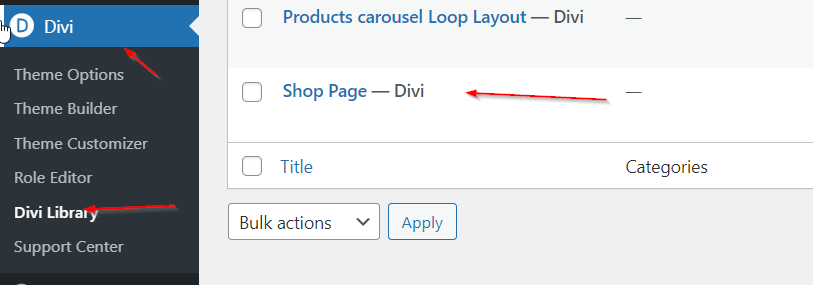
Add The Product Loop Module
While there are many modules that you can add, start off by adding the Product Loop module.
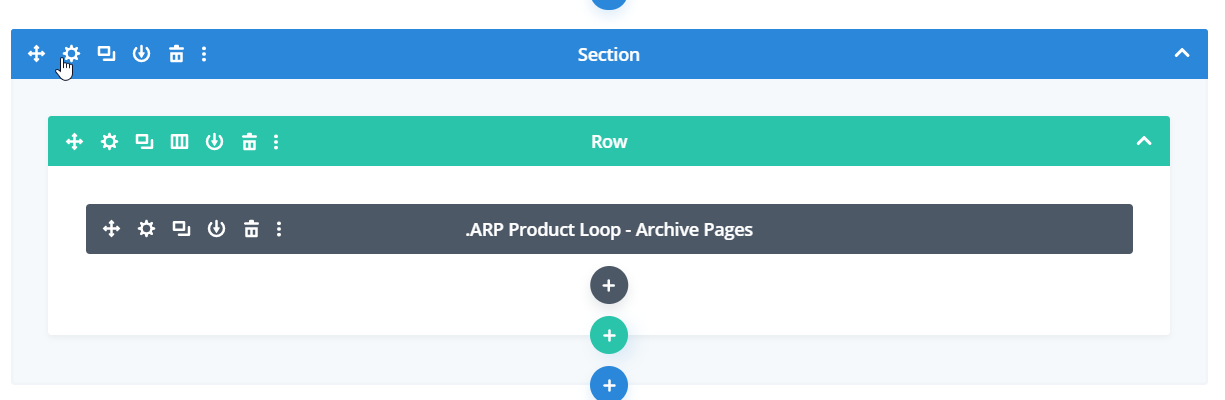
Customize The Product Loop Module
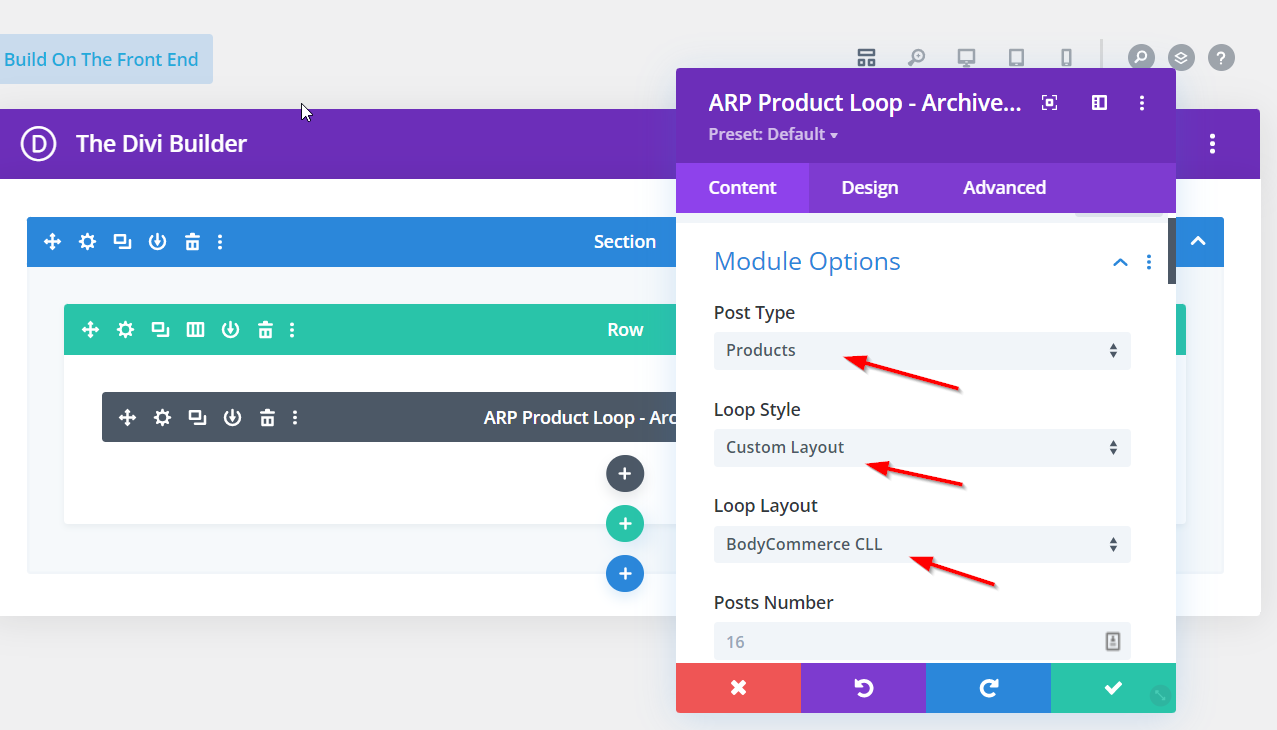
Set the Post Type to be Products, the Loop Style to be Custom Layout and Loop Layout to be the Custom Loop Layout that you have made.
Assign Your Layout In BodyCommerce
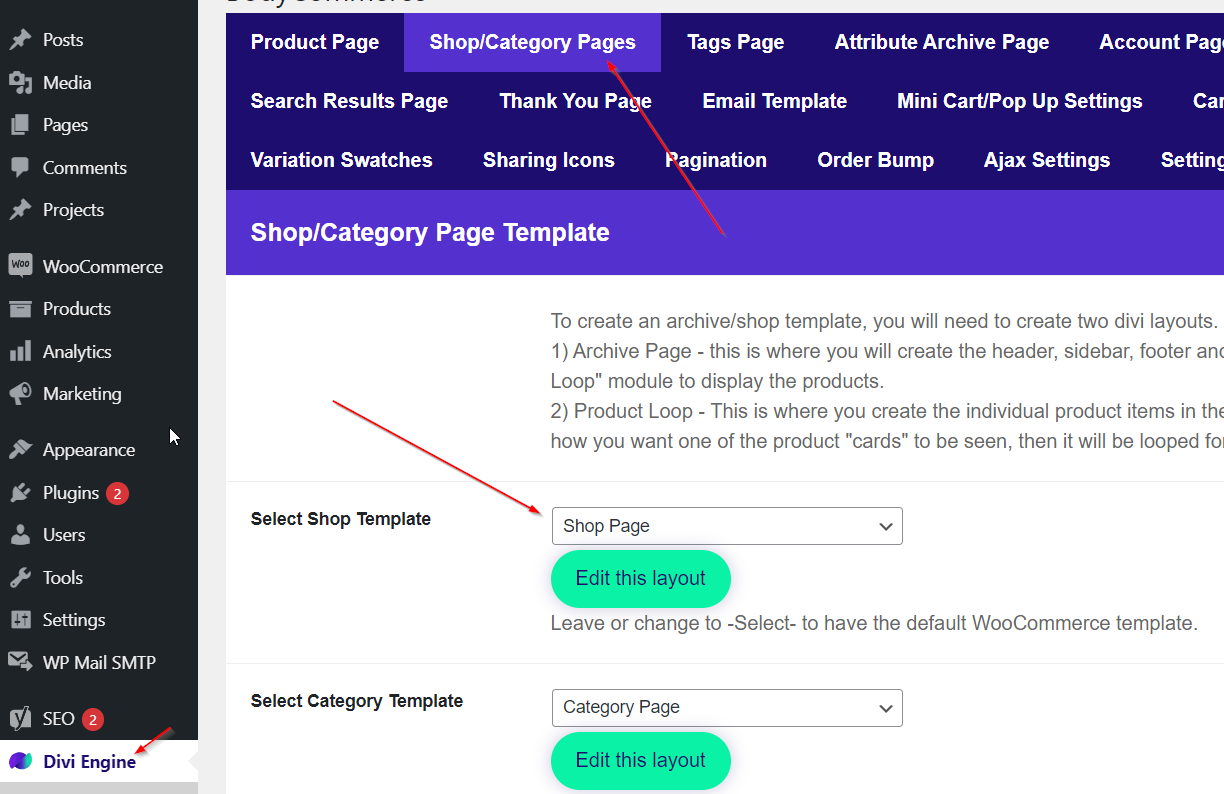
Go to Divi Engine > BodyCommerce > Shop/Category Pages and select your shop page layout.
Define Your Main Page URL
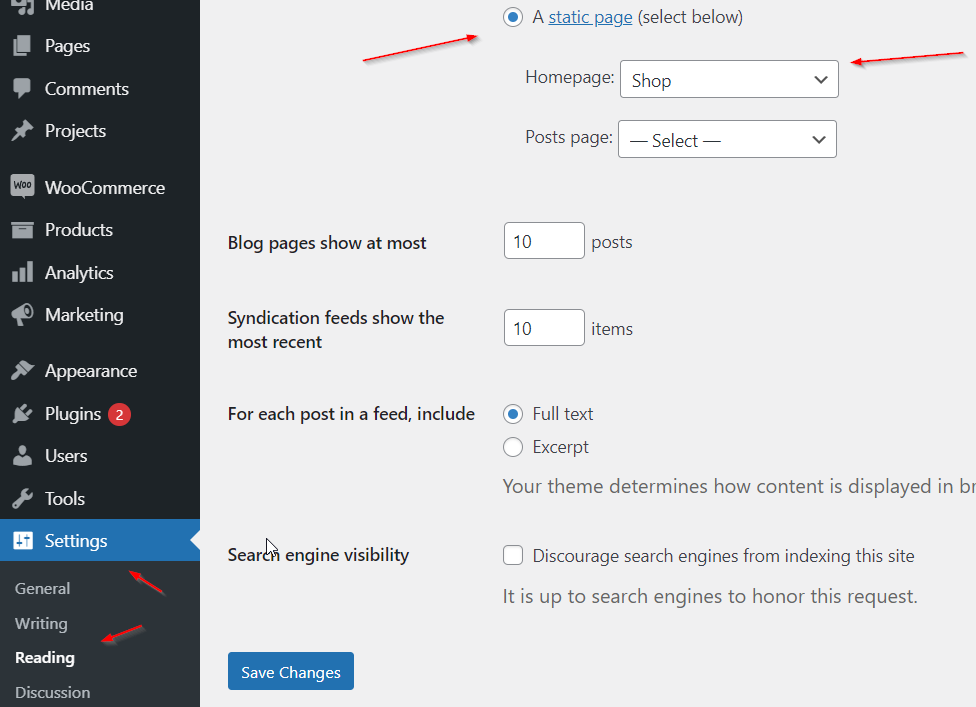
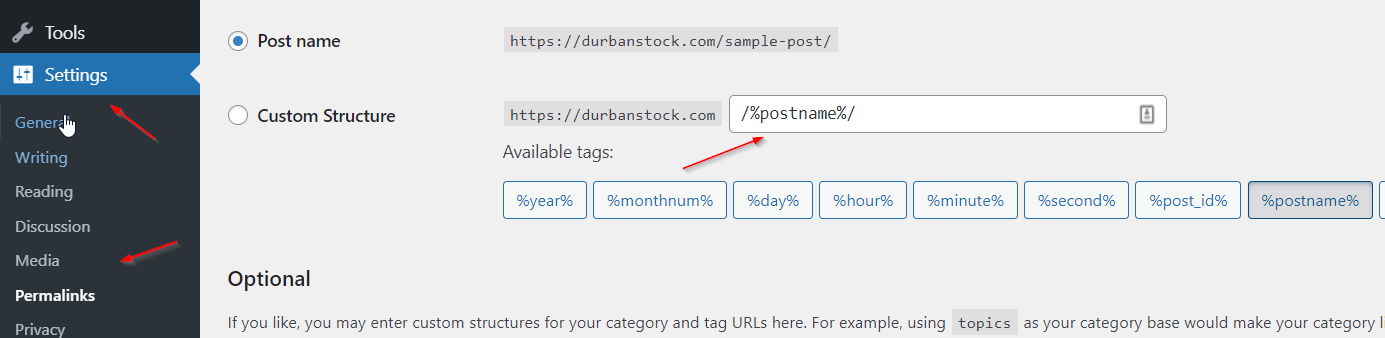
To assign this shop page to your domain name go to Settings > Reading and select the shop page as your home page. We also suggest going to Settings > Permalinks and configuring your URL extension as /%postname%/ - seen in the image below. Now when you visit your domain name https://name.com/ you will see the shop page that you have created in the Divi Library.