How To Change The Color of A Radio Button?
Introduction
Follow these steps to change the colour of a radio button.

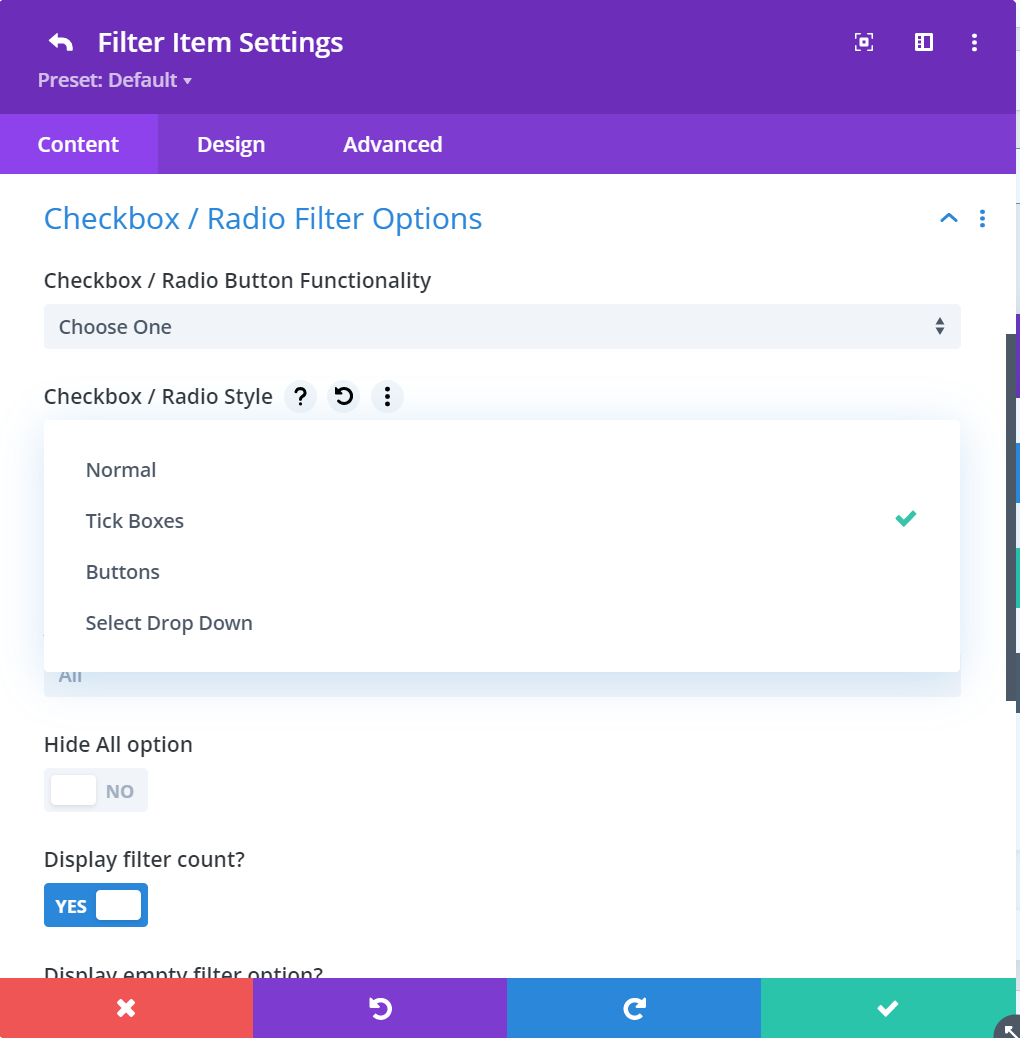
Step 1: Define Tickbox Or Radio Style
To change the appearance, go to Content > Checkbox / Radio Filter Options > Checkbox / Radio Style.
Step 2: Customize The Colour
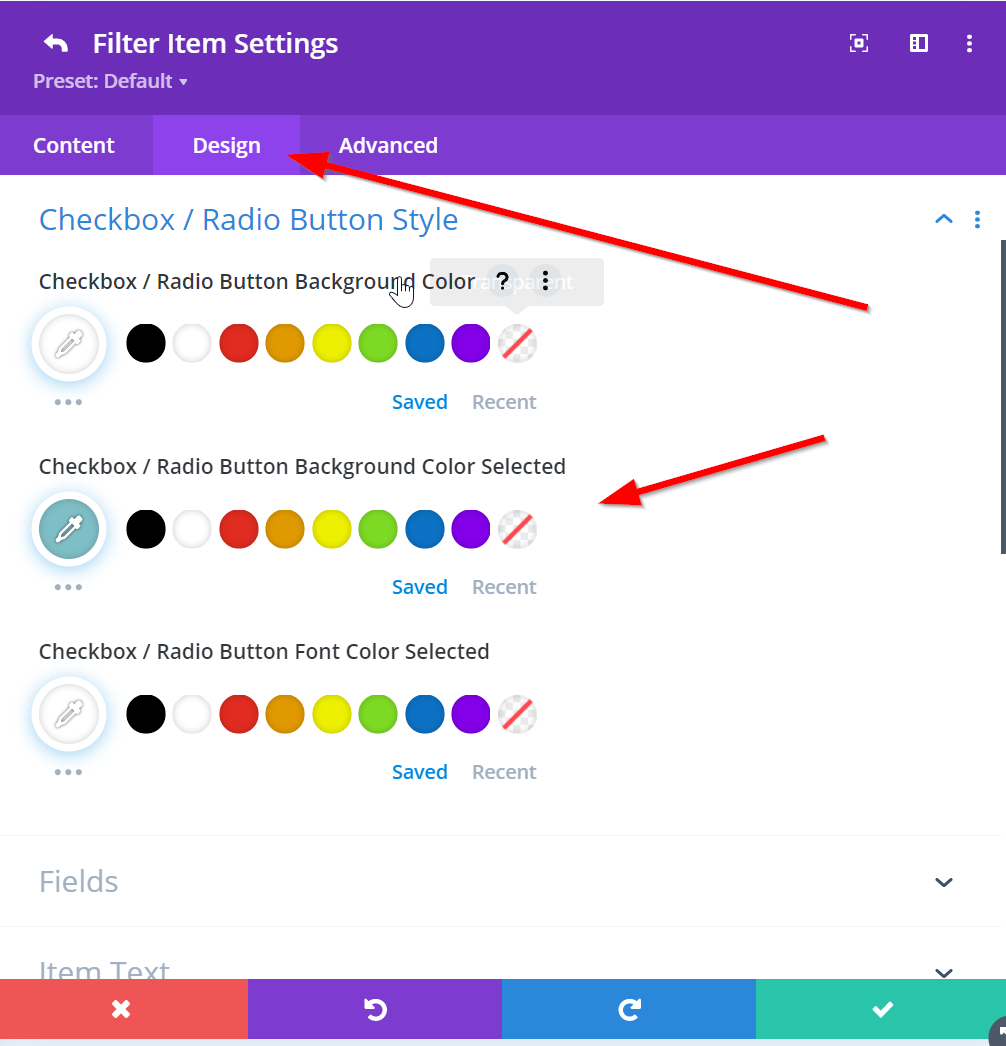
To change the colour, go to Design > Checkbox / Radio Button Style.