Repeater Tabs
Introduction
Follow this tutorial on how to set up tabs with Divi Machine and our Repeater module.
Step 1: Set Up The Basics
Please check this document on the basic setup. When you get to "Step 3", come here to finish off
Step 2: Set Up The Repeater Tabs
With tabs, you will need to also create a layout in the Divi Library like the Loop Layout style. (Read that on how to set this up)
This loop layout will become the tab's content.
- Create Divi Library Layout.
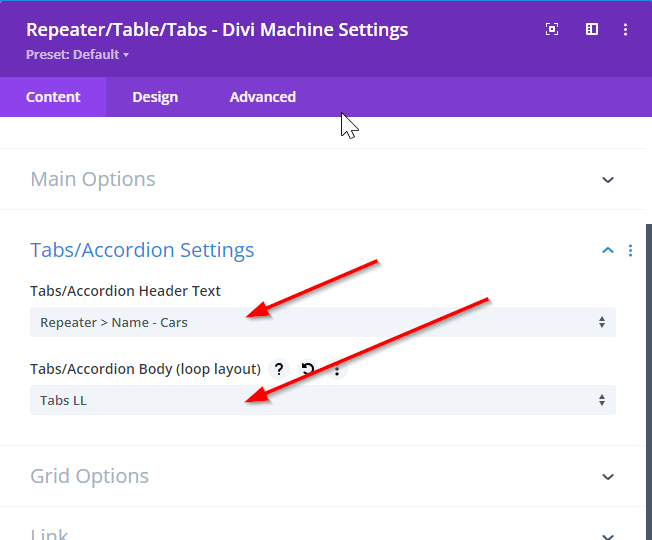
- Go to the “Tabs/Accordion” toggle.
- Tabs/Accordion Header Text: Choose the ACF child of the repeater that will become the header text (ACF Text field).
- Tabs/Accordion Body: Choose the Divi Library Layout created.
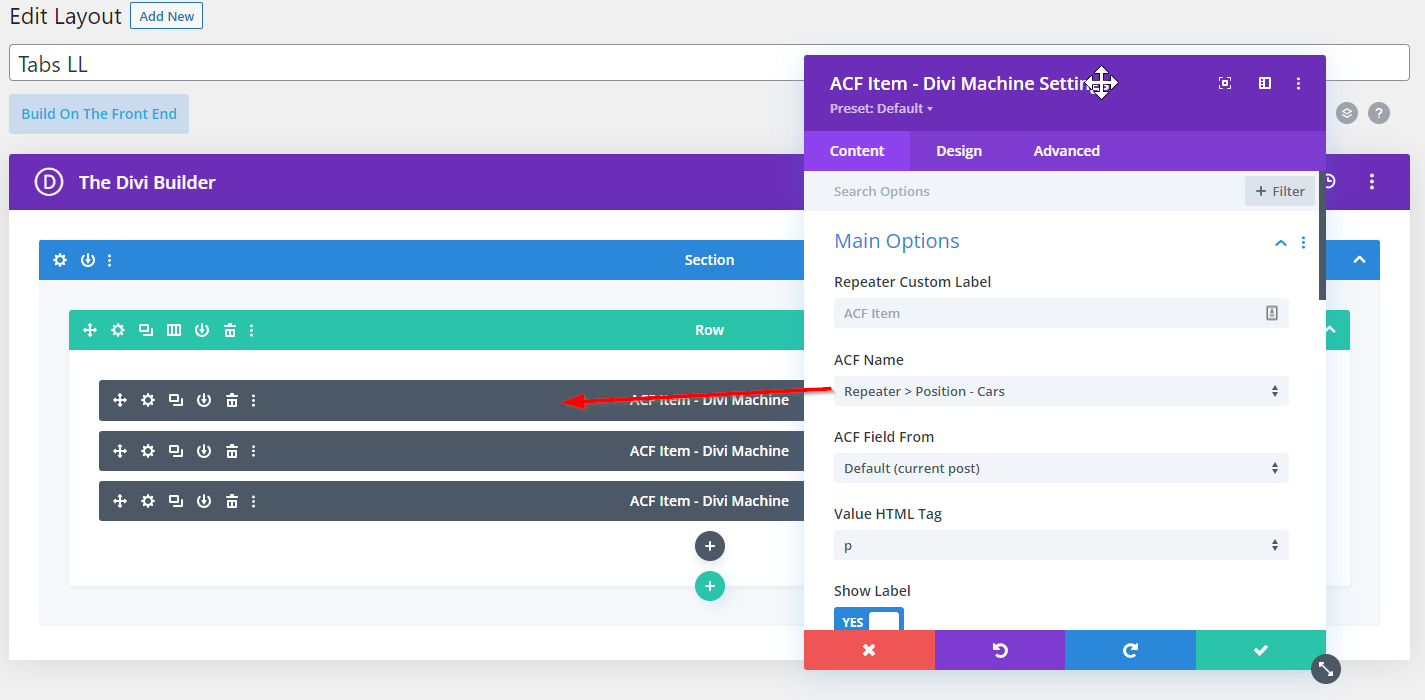
Here is the Divi Library Layout - Add the ACF Item module for each child element in the Repeater Field...
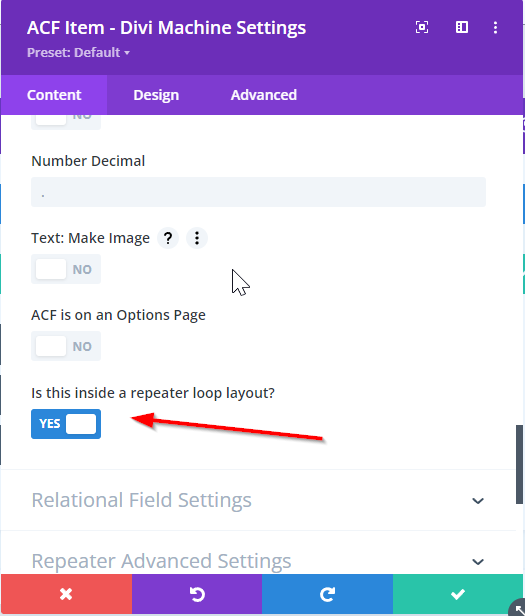
If you are getting problems with the content showing, in "Specific Settings" in ACF Item module, you can choose "is this inside a repeater loop layout?"
- Use the Design tab to style these further.
Once you have done this, we will add each row as a tab.