Email Notifications
The Email Notifications tab is at WordPress Admin → Divi Engine → Divi Membership → Email Notifications. Each notification has a status toggle, and when enabled, subject and/or content and (where applicable) trigger days. Merge tags are documented in the UI (e.g. %%customer_name%%, %%membership_plan%%, %%login_link%%, %%site_name%%, %%site_url%%, %%order_link%%, %%renewal_date%%).
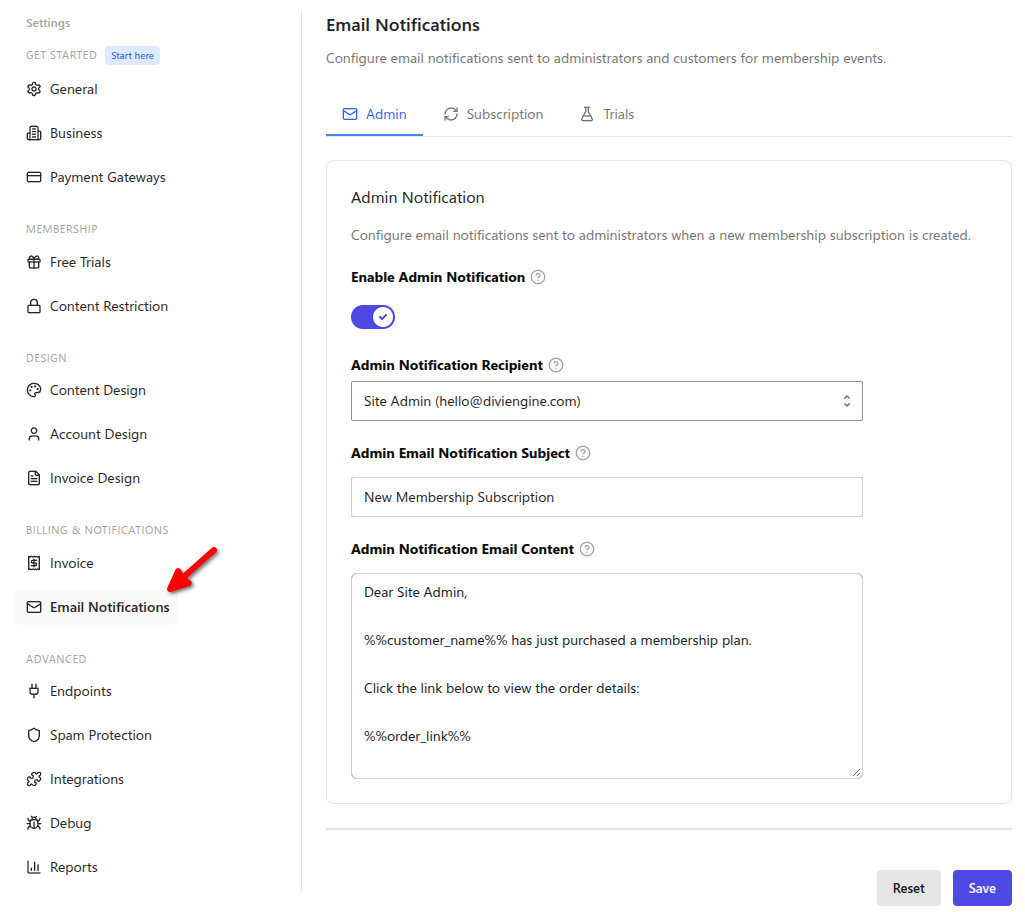
Email Notifications
| Notification | Settings | What it does |
|---|---|---|
| Admin Notification | Enable, Recipient (site admin or custom), Custom recipients, Subject, Content | Sent when a new membership subscription is created. |
| Customer Welcome | Enable, Subject, Content | Sent after customer subscribes. |
| Upcoming Renewal | Enable, Trigger days, Subject, Content | Sent before renewal date. |
| Membership Expired | Enable, Subject, Content | Sent when membership has expired. |
| Membership Expired Reminder | Enable, Trigger days, Subject, Content | Reminder after membership has expired. |
| Trial Started | Enable, Subject, Content | Sent when a free trial starts. |
| Trial Ending Soon | Enable, Trigger days, Subject, Content | Sent before trial ends. |
| Trial Converted | Enable, Subject, Content | Sent when trial converts to paid. |
| Trial Expired | Enable, Subject, Content | Sent when trial has expired. |
| Trial Grace Period | Enable, Subject, Content | Sent during trial grace period (add payment method). |
Trigger-day fields are stored as integers; content and subject fields are textareas/text sanitized for storage.
Offline payment lifecycle emails
Bank-transfer subscriptions also send transactional lifecycle emails when the payment is:
- Pending — Confirms that the order is waiting for an offline payment and provides the configured payment instructions.
- Completed — Confirms access after an administrator uses Mark as paid.
- Rejected — Tells the member that the offline payment was rejected.
These system lifecycle emails are separate from the configurable templates listed above. Their state follows the administrator's action on the subscription, so verify the recipient and subscription before marking or rejecting a payment.
What's Next
- Payment Gateways — Stripe, PayPal, currency.
- Integrations — Zapier webhooks.
- Settings overview — Where to find each section.