Expand From Shape
Divi Mobile offers a creative way to display your site's mobile menu with various animations. The "Expand From Shape" style allows the navigation menu to unfold gracefully from a designated shape, giving a modern and space-saving touch to your mobile experience.
How to Set Up
Follow these steps to enable and customize the "Expand From Shape" animation:
- Go to the
Theme Customizerand navigate toDivi Mobile>General Settings. - Scroll to the
SELECT PRIMARY MENU MOVEMENTdropdown menu. - Select
Expand from shapefrom the list of animation styles.
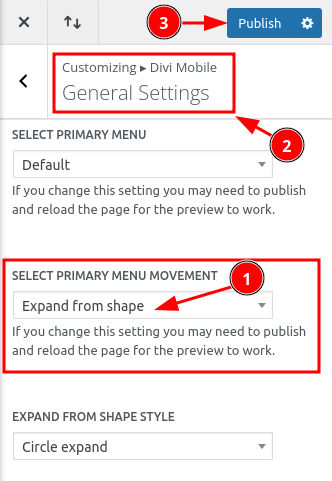
Customize the Animation Style
Choose the animation style that best suits your site's design from the options below:
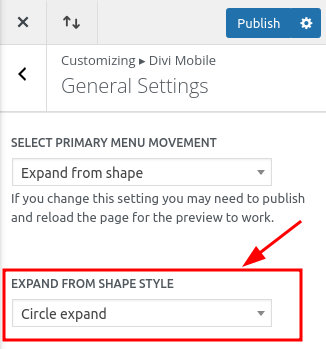
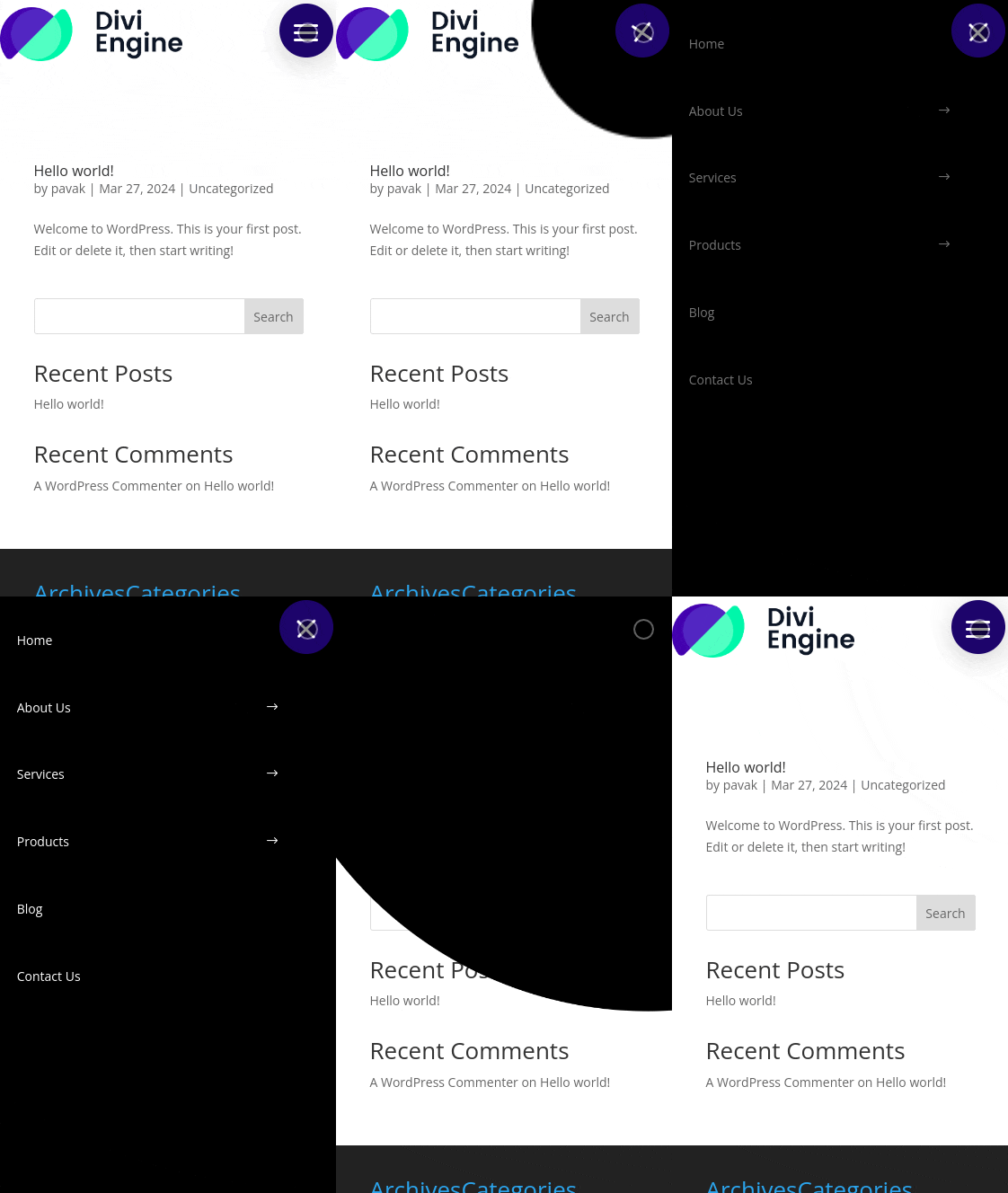
1. Circle Expand
The menu emerges outward from a central point in a circular fashion.
2. Circle Stretch Down
The menu elongates downwards from a circular form, displaying the menu items.
Implement these settings to enrich your mobile site's navigation with a visually appealing menu that not only looks great but also enhances usability. Save and publish your changes to witness the magic of your new mobile menu animation.