Member Management
Purpose and when to use
Member management is the admin-side view of everyone with an active membership. Use it to see who is a member, open their profile or subscription, and add existing users to a plan with Bulk Assign without sending them through the signup form.
Members list
- Go to Divi Membership → Members.
- The page lists all users with an active membership. From each row you can quickly open the User Profile, Membership, or Subscription.
Bulk Assign
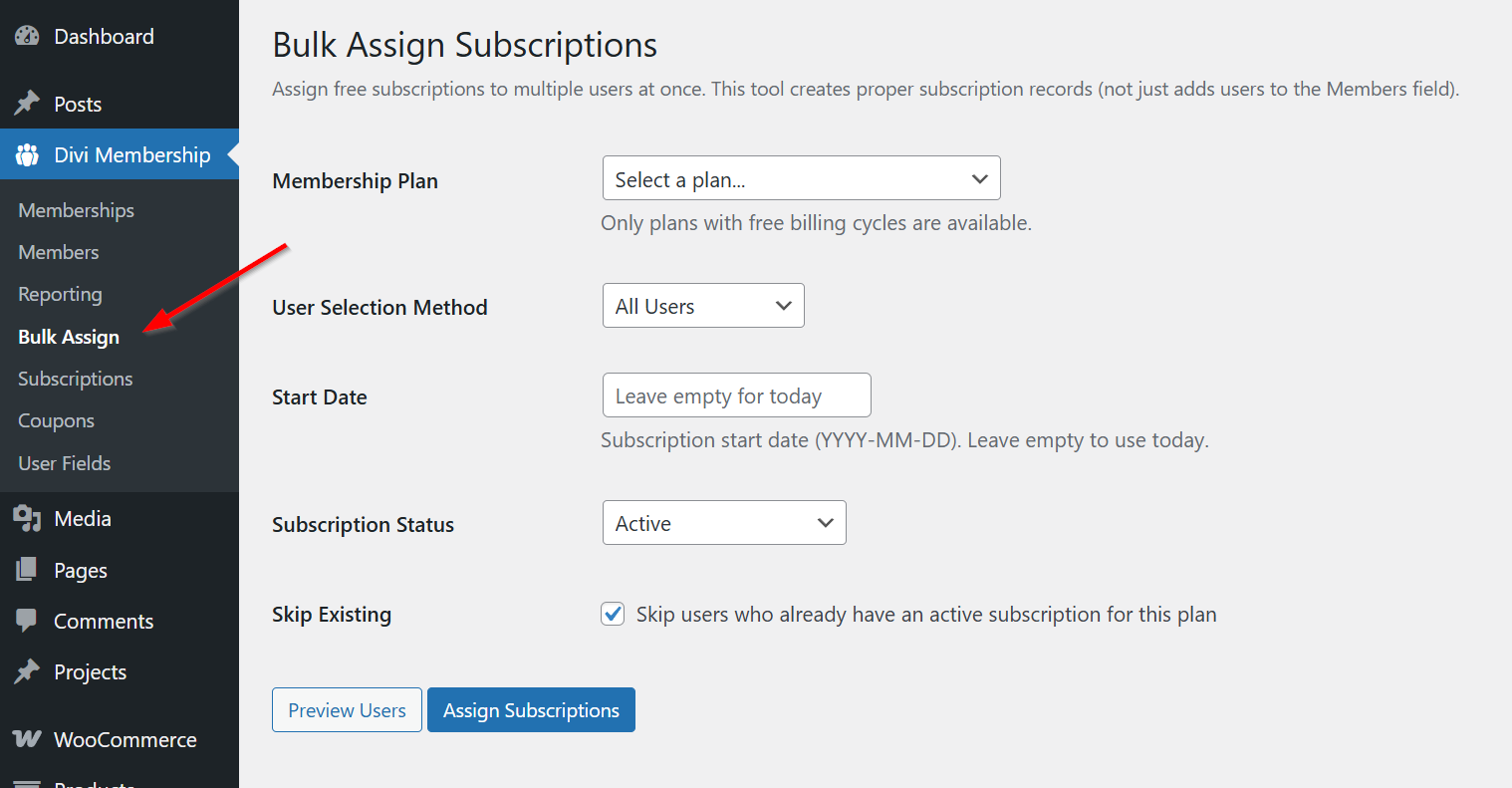
Divi Membership → Bulk Assign adds existing users to a plan so they get access without the front-end form. This is useful for migrations, comp accounts, and people who already paid you outside the site.
Assignment type has two choices:
- Free — Only plans that have a free billing cycle. The member is not charged.
- Offline / already paid — Puts people on a paid plan. The plan price stays as it is, and no card is charged. Choose Use the plan term (a recurring cycle lasts one period) or Lifetime (no renewal). Create an invoice for this payment is on by default. Turn it off for a migration where the money was already taken somewhere else. Include this payment in membership reports is optional.
Members assigned as already paid can cancel from the account page. Switch Plan, Renew, and Retry stay hidden because there is no card on file.
Bulk Assign fields
| Field | What it controls |
|---|---|
| Membership Plan | The plan to assign. Free assignment only offers plans with a free cycle |
| Billing cycle | Paid cycle for Offline / already paid; the saved plan price is not changed |
| User Selection Method | All users, a WordPress role, a custom-field match, or specific user IDs |
| Start Date | Optional YYYY-MM-DD; empty means today |
| Access length | Use the plan term or Lifetime (no renewal) for offline/already-paid assignment |
| Note | Internal note stored with the offline assignment |
| Create an invoice for this payment | On by default; turn off for migrations where payment was already recorded elsewhere |
| Include this payment in membership reports | Whether the recorded payment contributes to revenue |
| Subscription Status | Initial status for the assigned subscription |
| Skip existing users | Avoid adding a second subscription to users already assigned |
User fields
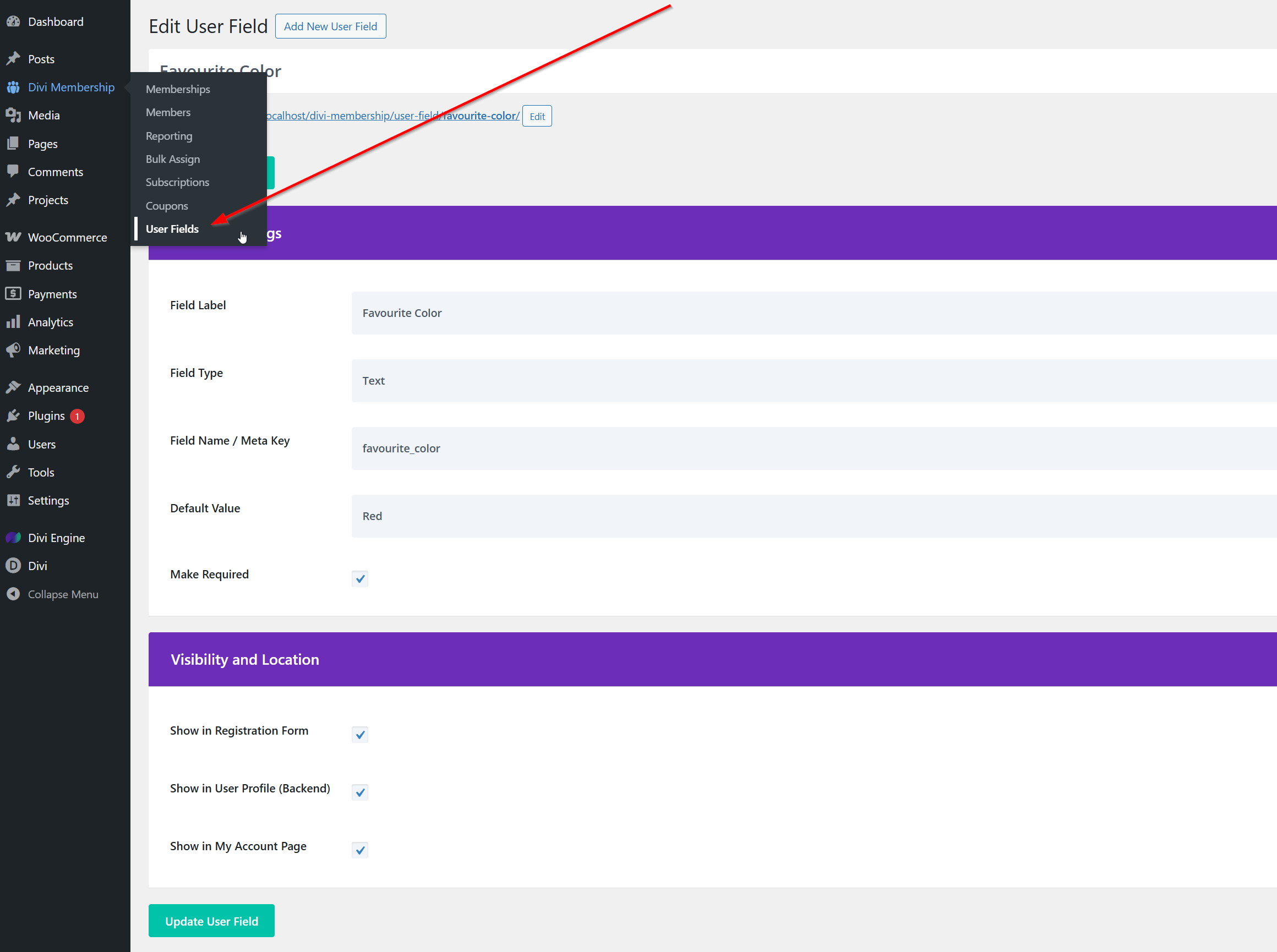
Go to Divi Membership → User Fields to create custom profile fields. Turn on Enable User Fields under Divi Engine → Divi Membership → General if the feature is disabled. Collected values can appear on the user profile, registration/profile forms, and User Item.
What's Next
- Subscription management — Cancel, refund, and view trial status per subscription.
- User List — Display a list of members or users on the front end.
- Account page — What members see and can do in their account.