Form Payments
The Form Payments section in Divi Form Builder allows you to review and manage payments submitted through your forms. This is useful for site administrators who need an at-a-glance view of transaction history and details.
To get started, navigate to:
Divi Engine > Divi Form Payments in your WordPress dashboard.

Reviewing Payment Entries
This page displays a list of all payment records submitted via Divi Form Builder forms. Each entry includes essential details such as the product name, payment amount, and status.
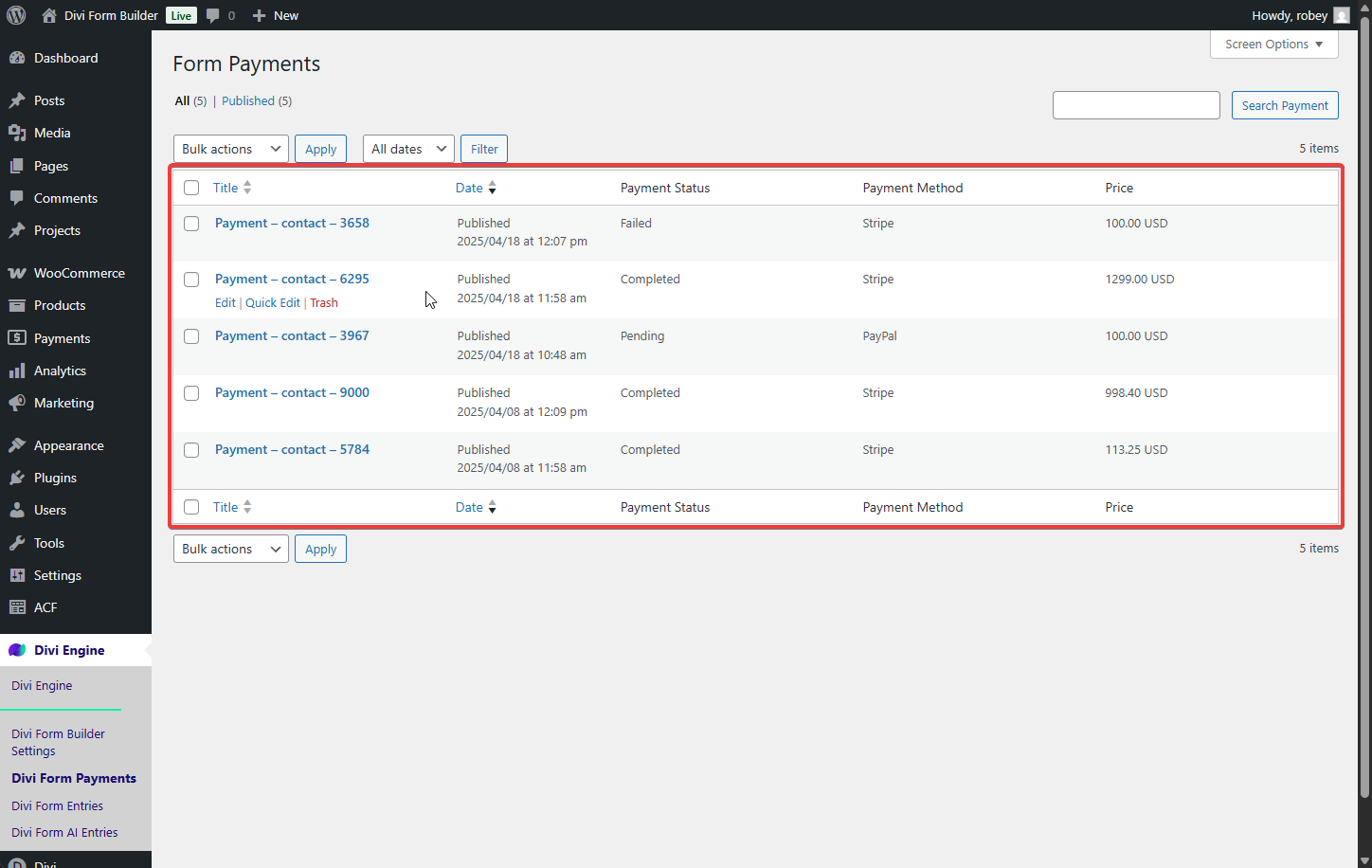
Click any entry to view full details.
Payment Details Page
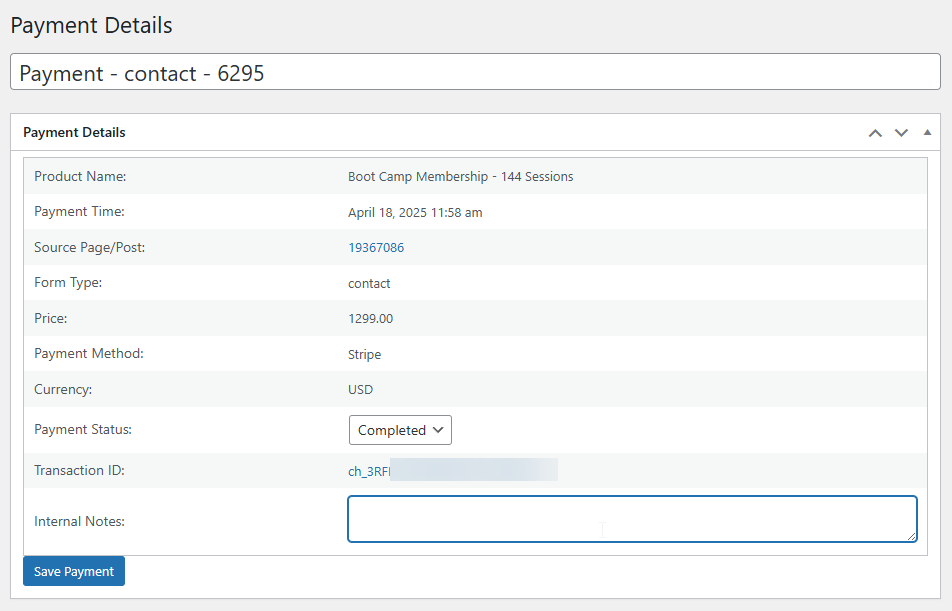
Clicking on an individual payment reveals the following data:
- Product Name – The name of the item or service purchased via the form.
- Payment Date/Time – When the payment was submitted.
- Source Page/Post – The post or page where the form was submitted. This includes the ID and a clickable link.
- Form Type – The form's internal type or reference.
- Price – The amount charged for the product or service.
- Payment Method – Indicates the payment gateway used (e.g., Stripe, PayPal).
- Currency – The transaction currency (e.g., USD, EUR).
- Payment Status – The status of the payment (e.g., Completed, Pending, Refunded).
- You can manually update this status from the details page.
- Refunds should be processed directly through PayPal or Stripe. After doing so, you can manually mark the payment as "Refunded" here.
- Transaction ID – The unique ID provided by the payment gateway which is clickable anbd takes you to the gateway where you can issue refunds.
- Internal Notes – An optional field for admin users to add notes related to the transaction.
Expected Behavior
Once a payment form is submitted and processed:
- A new entry will appear in the
Divi Form Paymentsdashboard. - Admins can review, track, and manually adjust the status of each payment.
- Notes can be added for record-keeping or internal communication.
This feature does not automatically issue refunds. You must perform the refund through your payment gateway and then update the status manually in the dashboard.