User Settings
Open WordPress Admin → Divi Engine → Divi Machine Account → User settings. These options are the same on Divi 5 and Divi 4.
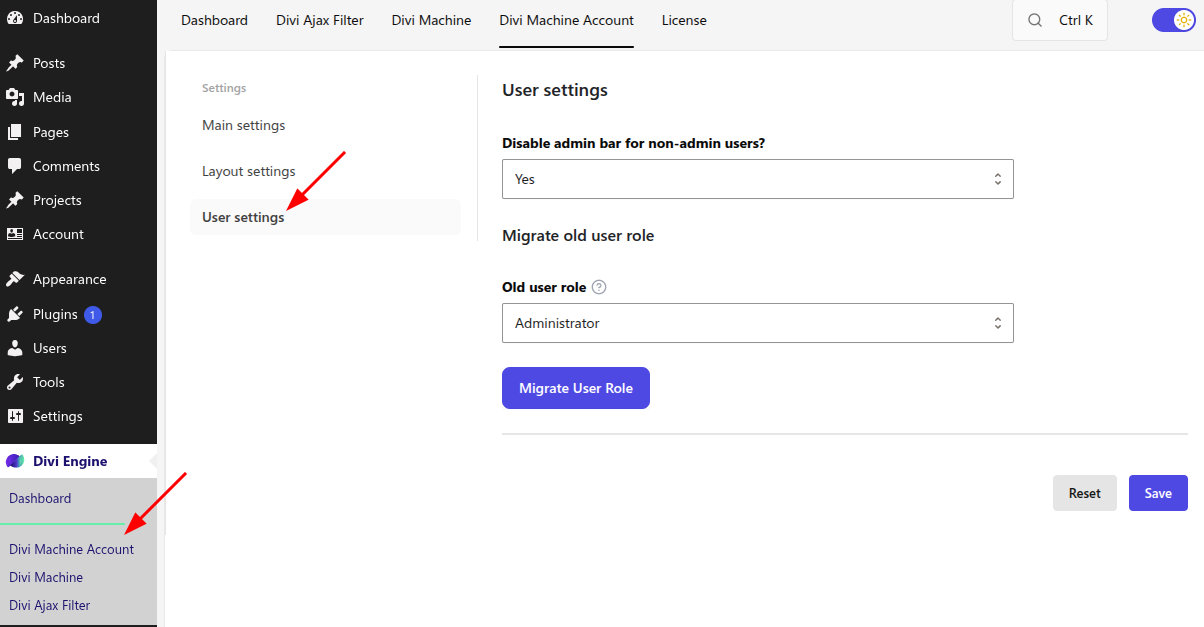
Disable admin bar for non-admin users?
| Option | Result |
|---|---|
| Yes | Logged-in users who are not administrators do not see the WordPress admin bar on the front end. This is the default. |
| No | Those users keep the admin bar. |
Administrators still see the admin bar.
Migrate old user role
Use this when existing users should be moved from another role to the Account User role.
- Under Migrate old user role, choose Old user role.
- Click Migrate User Role.
- Confirm the prompt. For every user with the selected role, the plugin removes that role and adds Account User.
The button stays disabled until you choose a role. Only an administrator should run this. The WordPress role itself is not deleted, but affected users no longer have that role. Make sure they do not need its permissions before you migrate them.
What's next
- Acc Register Form — New registrations default to Account User.
- Main settings — Account URL and saved lists.