Profile Settings
Open WordPress Admin → Divi Engine → Divi Machine Account → Profile. These options are the same on Divi 5 and Divi 4. Acc Edit Account and Acc Profile are Divi 5 modules.
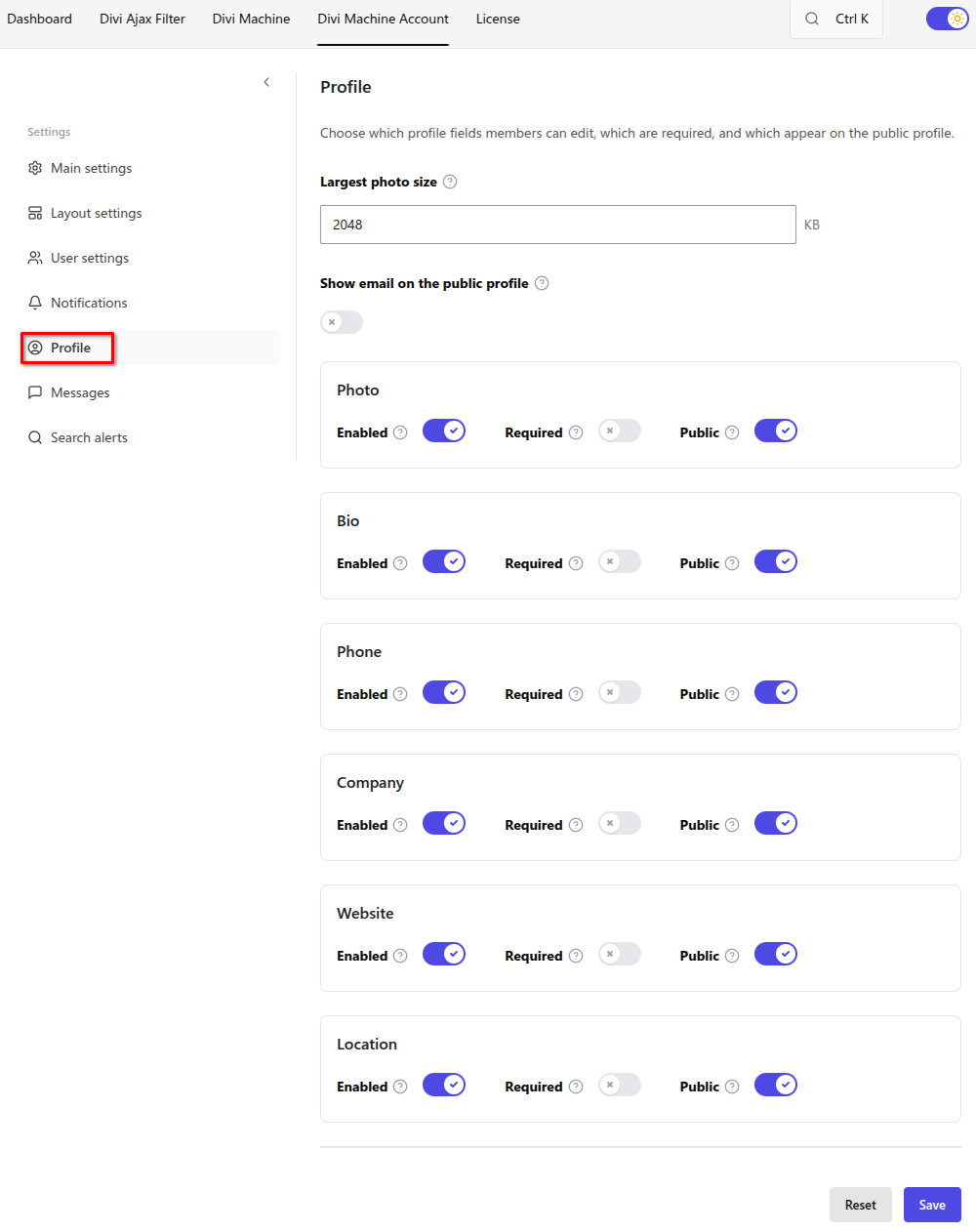
Profile does not have an off switch. The Profile account post stays in account navigation when it is published.
Photo and email
| Setting | Default | Notes |
|---|---|---|
| Largest photo size | 2048 KB | Photos larger than this are rejected. JPG, PNG, GIF, and WebP are accepted |
| Show email on the public profile | Off | Email stays hidden on the public profile until this is on |
Profile fields
Each field has three switches on one row.
| Switch | What it does |
|---|---|
| Enabled | Members can edit this field. On by default |
| Required | The field must be filled in before the account can be saved. Off by default |
| Public | The field can appear on the public profile. On by default for the built-in fields |
Built-in fields:
| Field | What the member enters |
|---|---|
| Photo | Profile photo |
| Bio | Longer text |
| Phone | Phone number |
| Company | Company name |
| Website | Website address |
| Location | Location |
Name, email, and password are account details on Acc Edit Account. They are not in this field list. Email on the public profile is the separate switch above.
What's next
- Profile — Let members edit their details and show a public profile.
- Acc Edit Account — The form on the Profile account page.
- Acc Profile — The public profile on a listing or author page.