Acc Profile
Divi 5 only
Acc Profile is a Divi 5 module. There is no Classic Builder version.
Purpose and when to use
Acc Profile shows one member's public profile: photo, name, and the fields marked public in Profile settings. Place it where that person should be introduced, for example on their listings or on an author page.
In the Visual Builder the module shows a sample photo, name, and field values so the preview matches the public profile.
A member who turned off Visible to other members is hidden from other people. They can still see their own profile.
Email is included only when Show email on the public profile is on.
Before you configure this module
- Public fields are chosen in Profile settings.
- You are editing a listing template, an author template, or another layout that knows which member to show.
Quick setup
- Add Acc Profile from Divi Machine Accounts.
- Set Profile source:
- Author of the current post (default) on a listing.
- Author archive on an author template.
- Current user when the logged-in member should see their own public profile.
- Leave Fields to show blank to show every public field, or list field keys separated by commas.
- Leave Show avatar on. Set Avatar size in pixels (default 96).
Content tab
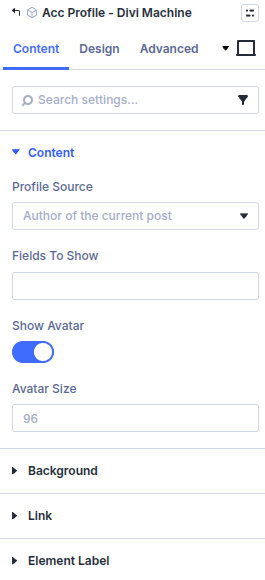
| Group | What it configures |
|---|---|
| Content | Whose profile, which fields, and the photo |
| Background / Link / Admin Label | Standard Divi groups |
| Setting | Type | Default | Notes |
|---|---|---|---|
| Profile source | select | Author of the current post | Current user, Author of the current post, or Author archive |
| Fields to show | text | Empty | Empty shows every public field. Or comma-separated field keys |
| Show avatar | toggle | On | Shown when the photo field is public |
| Avatar size | number | 96 | Width and height in pixels |
Design tab
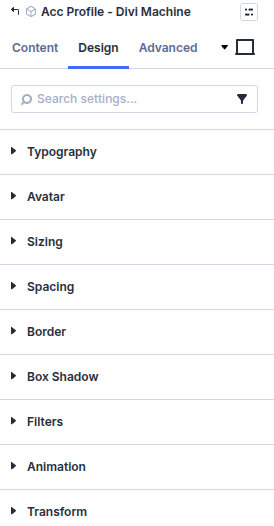
| Group | What it configures |
|---|---|
| Typography | Name and field text |
| Sizing, spacing, border, box shadow, filters, animation, transform | Module chrome |
What's next
- Profile — Which fields are public.
- Acc Edit Account — Where the member edits these fields.
- Acc Message Button — Let a visitor message this member.