Acc Login Form
Divi 5 only
This reference is for Divi 5. The same module and setting names exist in the Classic Builder. See Acc Login Form on Divi 4.
Purpose and when to use
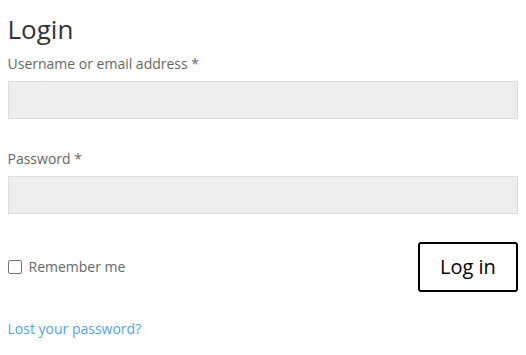
Acc Login Form (divi-machine-account/login) is the front-end login form. Its Divi 5 module picker label is Login Form. Place it on the account post chosen as Define your login layout.
Add it from the Divi Machine Accounts folder while editing that account post in the Visual Builder. Activation already places one on the Login account post.
Before you configure this module
- Divi Machine Accounts is active and the login layout is assigned. See Layout settings.
- You are editing the login account post in the Visual Builder.
Quick setup
- Add Acc Login Form, or select the one already on Login.
- Set Form Title (default Login).
- Leave Show Remember Me? and Show Lost Password? on unless you want those controls hidden.
- Set Submit Button Text (default Log in).
- Style the title, labels, fields, and button on the Design tab.
Content tab
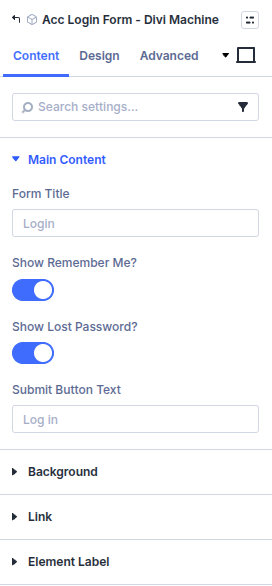
| Group | What it configures |
|---|---|
| Main Content | Title, remember me, lost password, submit label |
| Background / Link / Admin Label | Standard Divi groups |
Core settings
| Setting | Type | Default | Notes |
|---|---|---|---|
| Form Title | text | Login | Shown above the form |
| Show Remember Me? | toggle | On | Remember me checkbox |
| Show Lost Password? | toggle | On | Link to the WordPress password reset |
| Submit Button Text | text | Log in | Button label |
Design tab
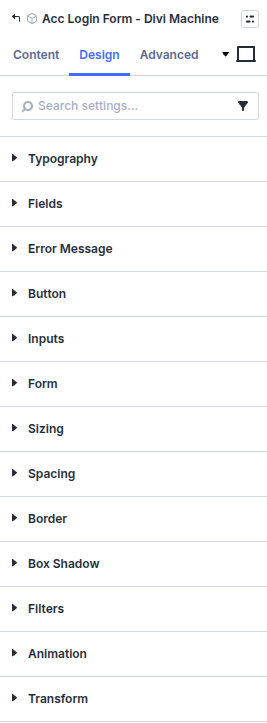
| Group | What it configures |
|---|---|
| Typography | Form Title, Labels, Remember Me, Lost Password, and Required Mark |
| Fields | Field text, spacing, background, Focus Background, Focus Text, and Field Shadow |
| Error Message | Error text, background, and spacing |
| Button | Submit button styles |
| Inputs border | Border around the inputs |
| Form border | Border around the whole form |
| Sizing, spacing, border, box shadow, filters, animation, transform | Module chrome |
Remember Me typography applies when Show Remember Me? is on. Lost Password typography applies when Show Lost Password? is on. Default title size is 26px with a line height of 1em.
Advanced
Custom CSS targets: Form Title, Labels, Remember Me, Login Button, and Lost Password.