Acc Save Search
Divi 5 only
Acc Save Search is a Divi 5 module. There is no Classic Builder version.
Purpose and when to use
Acc Save Search lets a logged-in member save the filters currently applied on the page. They name the search and choose how often to be emailed. New matching listings also create an on-site notification.
Place it on a page that already has Divi Ajax Filter and a loop. Leave Target loop selector empty to use the first loop on the page.
The button stays hidden until search alerts are turned on. Logged-out visitors are sent to the account login.
Before you configure this module
- Search alerts are on, and notifications are on if members should see the match in their account.
- Divi Ajax Filter is active. Divi Machine includes it.
- The page has a filtered loop.
Quick setup
- Add Acc Save Search near the filters or the loop.
- Leave Show button as On page load, or choose After a filter is applied so it stays hidden until the page has filters. A shared link that already has filters counts as applied.
- Set Default frequency to Instantly, Daily, Weekly, or Off. Members can still pick another frequency you allowed in settings.
- Adjust Save this search text (default Save this search), Save alert text (default Save alert), Saving text (default Saving…), and Saved message.
The save button shows Saving text while it is working. The default saved message is Your search has been saved. We will email you when new listings match.
Content tab
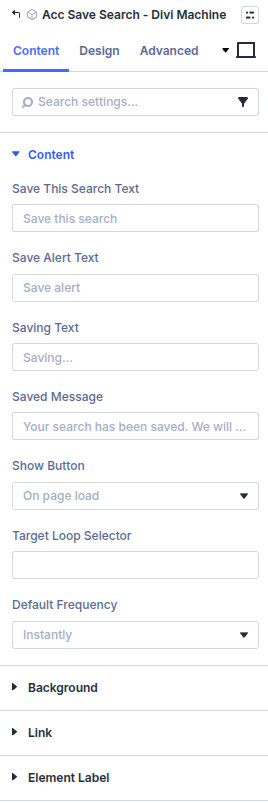
| Group | What it configures |
|---|---|
| Content | Button labels, when the button shows, which loop, and the default frequency |
| Background / Link / Admin Label | Standard Divi groups |
| Setting | Type | Default | Notes |
|---|---|---|---|
| Save this search text | text | Save this search | Opens the save form |
| Save alert text | text | Save alert | Saves the search |
| Saving text | text | Saving… | Shown on the button and under the form while saving |
| Saved message | text | Your search has been saved. We will email you when new listings match. | Shown after a successful save |
| Show button | select | On page load | On page load or After a filter is applied |
| Target loop selector | text | Empty | CSS selector for the Ajax Filter loop. Empty uses the first loop on the page |
| Default frequency | select | Instantly | Instantly, Daily, Weekly, or Off |
Design tab
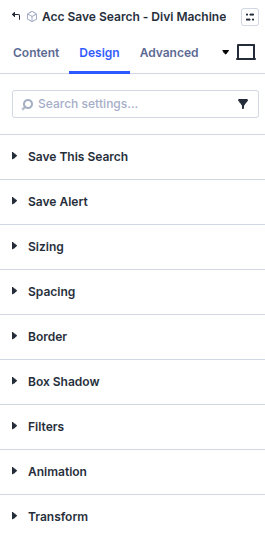
| Group | What it configures |
|---|---|
| Save this search | The button that opens the form |
| Save alert | The button that saves the search |
| Sizing, spacing, border, box shadow, filters, animation, transform | Module chrome |
What's next
- Search alerts — Settings, email, and the account list.
- Acc Saved Searches — Where members manage saved searches.