Acc Saved Searches
Divi 5 only
Acc Saved Searches is a Divi 5 module. There is no Classic Builder version.
Purpose and when to use
Acc Saved Searches lists the logged-in member's saved searches as cards. They can rename a search in place, change how often it emails, open the results, or delete it. Place it on the Search Alerts account post. Activation already places one there.
The page stays hidden until search alerts are turned on. Logged-out visitors see nothing.
Each card shows the search name, the last match, and the email frequency beside View results and Delete.
Before you configure this module
- Enable search alerts is on.
- You are editing the Search Alerts account post in the Visual Builder.
Quick setup
- Add Acc Saved Searches, or select the one already on Search Alerts.
- Set Empty text (default You have no saved searches yet.).
- Choose Create new page if members should have a button back to the filter page. The Create new button appears only after that page is chosen.
- Set Create new text (default Create new), View results text (default View results), and Delete text (default Delete).
A member can also turn an alert off from the link in the alert email, without opening this page.
Content tab
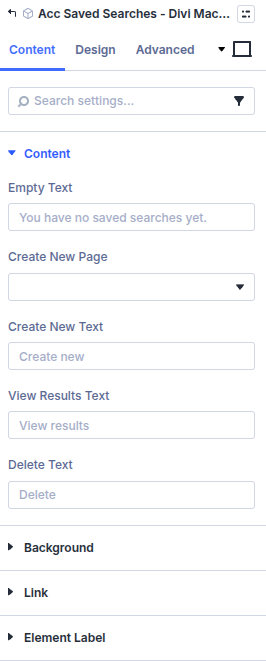
| Group | What it configures |
|---|---|
| Content | Empty text, the create-new page, and button labels |
| Background / Link / Admin Label | Standard Divi groups |
| Setting | Type | Default | Notes |
|---|---|---|---|
| Empty text | text | You have no saved searches yet. | Shown when the member has none |
| Create new page | page | None | Page that has Acc Save Search. The button stays hidden until you choose one |
| Create new text | text | Create new | |
| View results text | text | View results | Opens the saved filters |
| Delete text | text | Delete | Removes the saved search |
Design tab
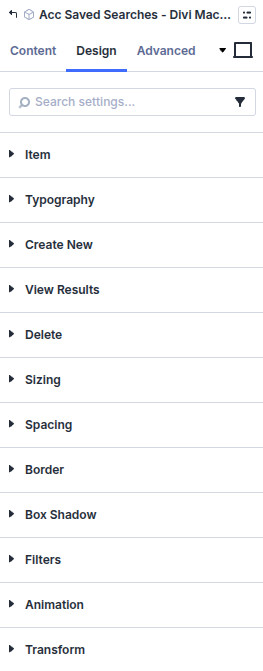
| Group | What it configures |
|---|---|
| Item | A saved-search card |
| Typography | Name and details |
| Create new | The create button |
| View results | The results button |
| Delete | The delete button |
| Sizing, spacing, border, box shadow, filters, animation, transform | Module chrome |
What's next
- Search alerts — Who can save a search, and the email.
- Acc Save Search — The button on the filter page.