Acc Message Button
Divi 5 only
Acc Message Button is a Divi 5 module. There is no Classic Builder version.
Purpose and when to use
Acc Message Button starts a conversation from a public page. Listing author messages the owner of the current listing. Member on this page messages the person on a profile or author page.
The button opens a short form. After a successful send, the member can open the conversation in Acc Messages. A logged-out visitor is sent to the account login, then back to this page.
The button does nothing useful until messaging is turned on, and until the matching option is on: Allow listing messages or Allow member-to-member messages. The listing's post type must be allowed. A member cannot message their own listing.
Before you configure this module
- Messaging is on, and the matching message type is allowed.
- You are editing a listing template or a profile/author template in the Visual Builder.
Quick setup
- Add Acc Message Button from Divi Machine Accounts.
- Set Recipient to Listing author or Member on this page.
- Set Button text (default Message), Placeholder (default Write your message…), Send button text (default Send), and Success text (default Message sent. View conversation).
- Style the Message button, the Send button, and the message box on the Design tab.
Content tab
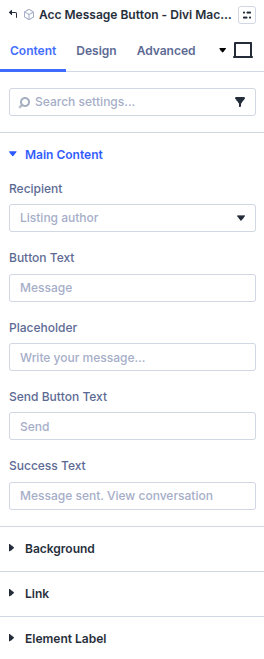
| Group | What it configures |
|---|---|
| Main Content | Who receives the message, and the labels |
| Background / Link / Admin Label | Standard Divi groups |
| Setting | Type | Default | Notes |
|---|---|---|---|
| Recipient | select | Listing author | Listing author or Member on this page |
| Button text | text | Message | Opens the form |
| Placeholder | text | Write your message… | Inside the message box |
| Send button text | text | Send | |
| Success text | text | Message sent. View conversation | Shown after the message is sent |
Design tab
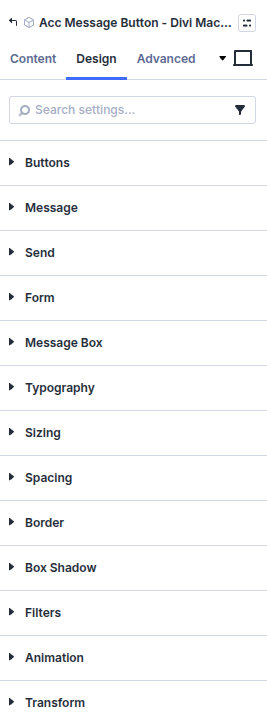
| Group | What it configures |
|---|---|
| Buttons | Shared button style |
| Message | The button that opens the form |
| Send | The send button |
| Form | The form around the message box |
| Message box | The text field |
| Typography | Button and field text |
| Sizing, spacing, border, box shadow, filters, animation, transform | Module chrome |
What's next
- Messages — Inbox, blocked words, and the admin screen.
- Acc Messages — Where the conversation continues.