Acc Wishlist Icon
Divi 4
This reference is for the Classic Builder. For Divi 5 settings, see Acc Wishlist Icon.
Use Acc Wishlist Icon so a logged-in visitor can add the current post to a saved list or a dislike list.
Step 1: Create the lists
In Divi Engine → Divi Machine Account → Main settings, set Types of saved objects and, if you need it, Types of disliked objects. See Main settings.
Step 2: Add the module
- Edit the loop layout in the Classic Builder.
- Add Acc Wishlist Icon from the Divi Machine module group.
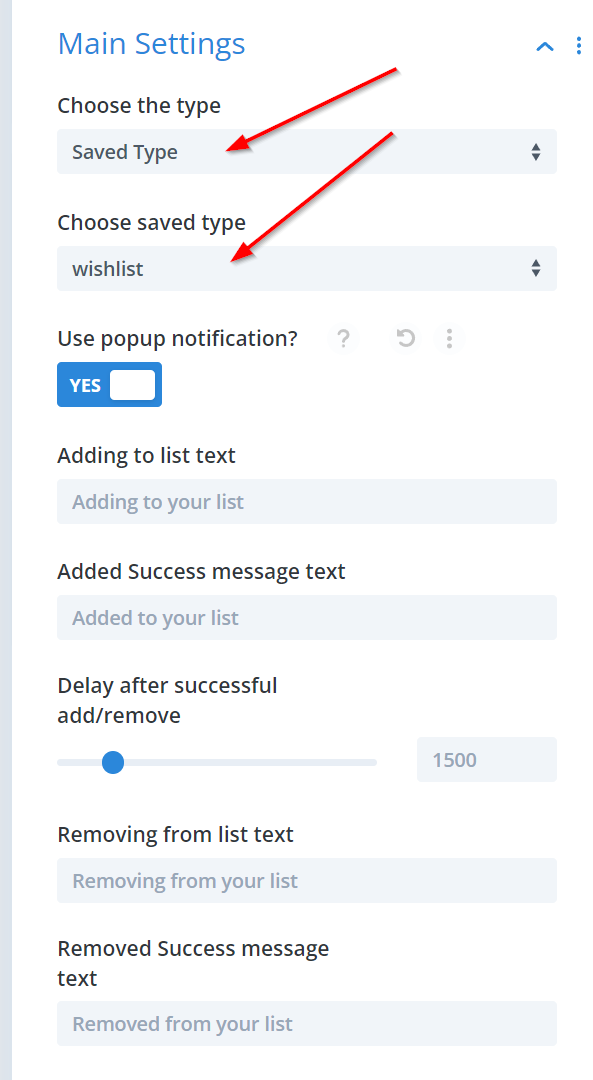
- Set the type to saved or dislike, then choose the list.
The icon animates while the post is added. Turn on the popup if you also want a text notice.
Step 3: Set the icons
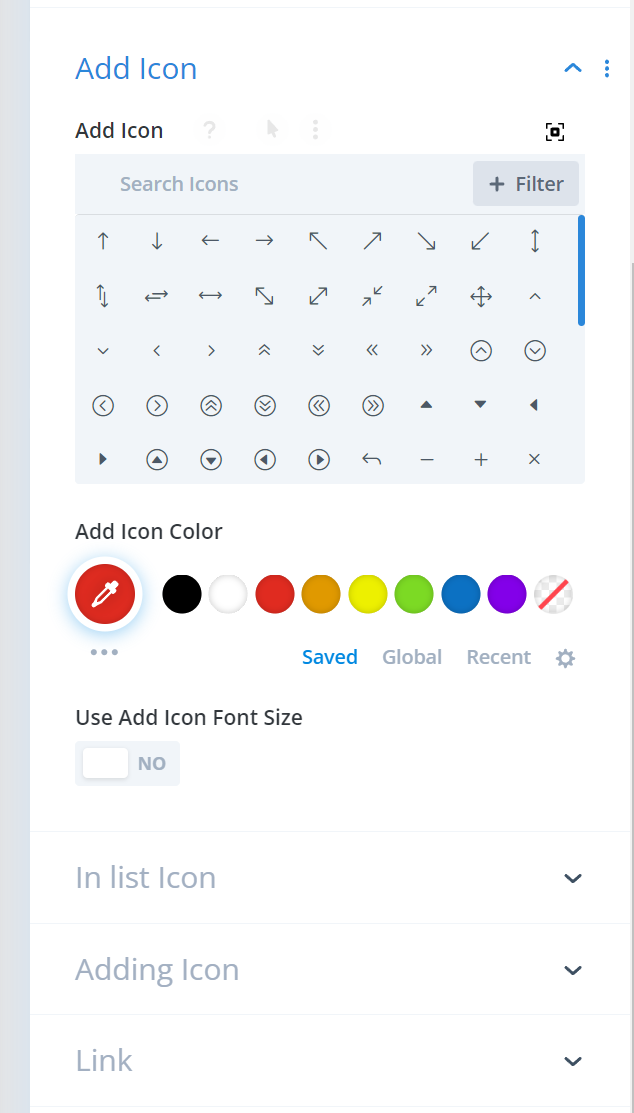
Set an icon for each state:
- Add — shown when the post can be added.
- In list — shown when the post is already on the list.
- Adding — shown while the request runs. It rotates during that time.
The same three states are documented for Divi 5 on Acc Wishlist Icon.
To show the saved posts afterward, see Display a saved list.